text-decoration-skip-ink
Baseline 廣泛可用 *
text-decoration-skip-ink CSS 屬性指定了當上劃線和下劃線經過字形的升部和降部時,它們的繪製方式。
試一試
text-decoration-skip-ink: auto;
text-decoration-skip-ink: none;
<section id="default-example">
  <p>
    <span class="transition-all" id="example-element">parapsychologists</span>
  </p>
</section>
p {
  font:
    1.9em "Georgia",
    serif;
  text-decoration: underline;
}
text-decoration-skip-ink 不屬於 text-decoration 簡寫屬性。
語法
css
/* Single keyword */
text-decoration-skip-ink: none;
text-decoration-skip-ink: auto;
text-decoration-skip-ink: all;

/* Global keywords */
text-decoration-skip-ink: inherit;
text-decoration-skip-ink: initial;
text-decoration-skip-ink: revert;
text-decoration-skip-ink: revert-layer;
text-decoration-skip-ink: unset;
值
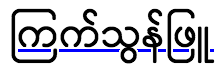
正式定義
正式語法
text-decoration-skip-ink =
  auto  |
  none  |
  all
示例
HTML
html
<p>You should go on a quest for a cup of coffee.</p>
<p class="no-skip-ink">Or maybe you'd prefer some tea?</p>
<p>この文は、 text-decoration-skip-ink: auto の使用例を示しています。</p>
<p class="skip-ink-all">
  この文は、 text-decoration-skip-ink: all の使用例を示しています。
</p>
CSS
css
p {
  font-size: 1.5em;
  text-decoration: underline blue;
  text-decoration-skip-ink: auto; /* this is the default anyway */
}

.no-skip-ink {
  text-decoration-skip-ink: none;
}

.skip-ink-all {
  text-decoration-skip-ink: all;
}
結果
規範
| 規範 |
|---|
| CSS 文字裝飾模組第 4 級 # text-decoration-skip-ink-property |
瀏覽器相容性
載入中…