作者詳情頁面
作者詳情頁面需要顯示指定Author的資訊,使用其(自動生成的)_id欄位值進行識別,以及與該Author關聯的所有Book物件列表。
控制器
開啟/controllers/authorController.js。
將以下幾行新增到檔案頂部,以require()作者詳情頁面所需的Book模組(其他模組,例如“express-async-handler”,應該已經存在)。
js
const Book = require("../models/book");
找到匯出的author_detail()控制器方法,並將其替換為以下程式碼。
js
// Display detail page for a specific Author.
exports.author_detail = asyncHandler(async (req, res, next) => {
  // Get details of author and all their books (in parallel)
  const [author, allBooksByAuthor] = await Promise.all([
    Author.findById(req.params.id).exec(),
    Book.find({ author: req.params.id }, "title summary").exec(),
  ]);

  if (author === null) {
    // No results.
    const err = new Error("Author not found");
    err.status = 404;
    return next(err);
  }

  res.render("author_detail", {
    title: "Author Detail",
    author: author,
    author_books: allBooksByAuthor,
  });
});
方法與型別詳情頁面中描述的完全相同。路由控制器函式使用Promise.all()並行查詢指定的Author及其關聯的Book例項。如果未找到匹配的作者,則將錯誤物件傳送到Express錯誤處理中介軟體。如果找到作者,則使用“author_detail”模板渲染檢索到的資料庫資訊。
檢視
建立/views/author_detail.pug並將以下文字複製到其中。
pug
extends layout

block content

  h1 Author: #{author.name}
  p #{author.date_of_birth} - #{author.date_of_death}

  div(style='margin-left:20px;margin-top:20px')

    h2(style='font-size: 1.5rem;') Books
    if author_books.length
      dl
        each book in author_books
          dt
            a(href=book.url) #{book.title}
          dd #{book.summary}
    else
      p This author has no books.
此模板中的所有內容都在前面的章節中進行了演示。
它是什麼樣子的?
執行應用程式並在瀏覽器中開啟https://:3000/。選擇“所有作者”連結,然後選擇其中一位作者。如果一切設定正確,您的網站應該類似於以下螢幕截圖。
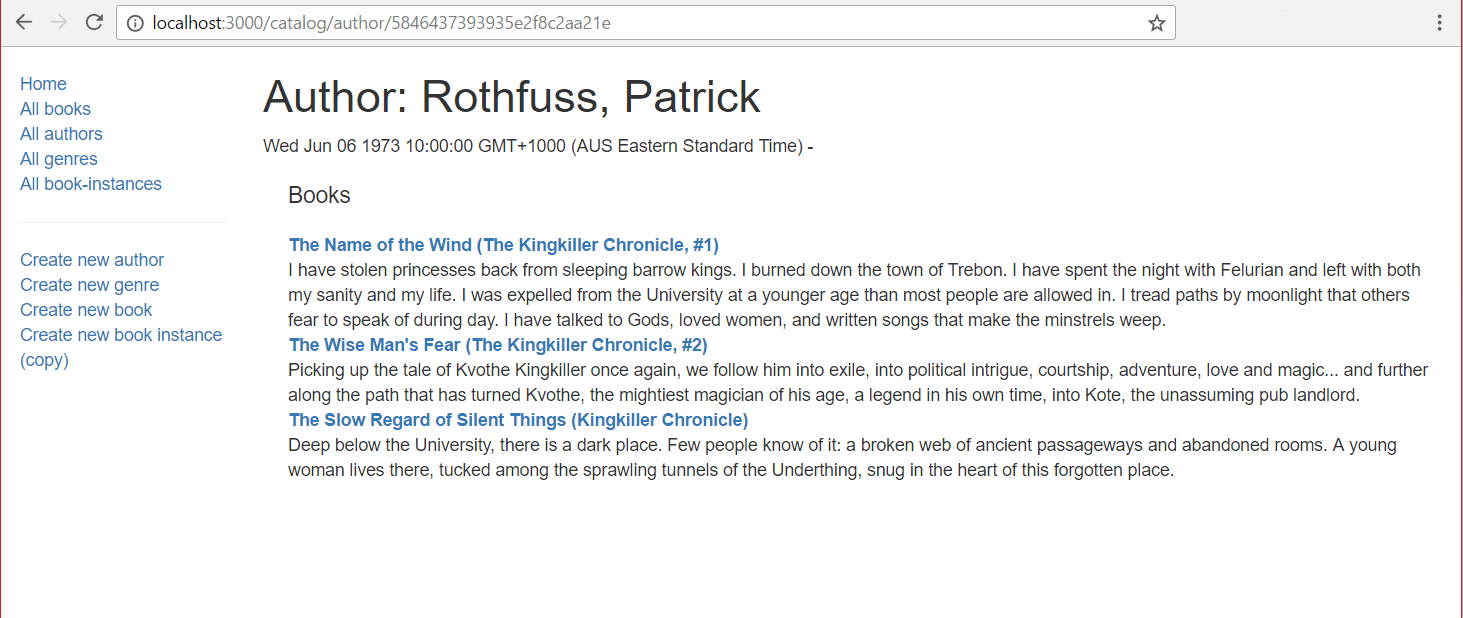
注意:作者壽命日期的顯示很醜!我們將在本文的最後一個挑戰中解決這個問題。
後續步驟
- 返回到Express 教程第 5 部分:顯示庫資料。
- 繼續第 5 部分的最後一個子文章:BookInstance 詳情頁和挑戰。