通知
通知允許您使用底層作業系統提供的通知服務來傳達有關您的擴充套件或其內容的資訊。
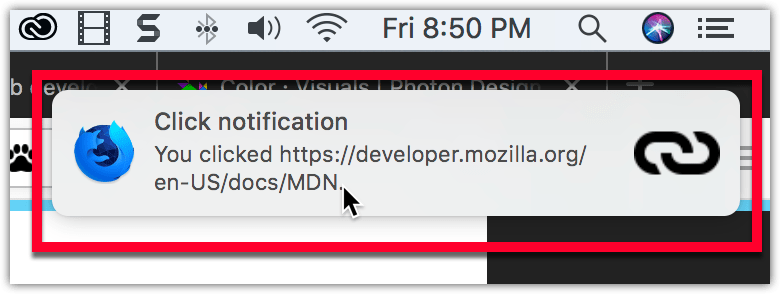
通知可以包含使用者採取行動的號召,並且您的外掛可以監聽使用者點選通知或通知關閉的事件。
指定通知
您透過程式設計方式管理通知,使用 notifications API。要使用此 API,您必須在 manifest.json 中請求 notifications 許可權。
json
"permissions": ["notifications"]
然後,您可以使用 notifications.create 來建立通知,如下面的來自 notify-link-clicks-i18n: 的示例:
js
const title = browser.i18n.getMessage("notificationTitle");
const content = browser.i18n.getMessage("notificationContent", message.url);
browser.notifications.create({
  type: "basic",
  iconUrl: browser.extension.getURL("icons/link-48.png"),
  title,
  message: content,
});
此程式碼建立一個帶有圖示、標題和訊息的通知。
如果通知包含行動號召,您可以監聽使用者點選通知的事件,然後呼叫相應的函式來處理該行動。
js
browser.notifications.onClicked.addListener(handleClick);
如果您透過通知發出行動號召,您還會希望定義可選的通知 id,這樣您就可以確定使用者選擇了哪個行動號召。
圖示
有關如何建立用於通知的圖示的詳細資訊,請參閱 Acorn Design System 文件中的 圖示設計。
示例
GitHub 上的 webextensions-examples 儲存庫包括實現了通知的 notify-link-clicks-i18n 示例。