theme

型別 Object
必填
Manifest 版本 2 或更高
示例
json
"theme": {
  "images": {
    "theme_frame": "images/sun.jpg"
  },
  "colors": {
    "frame": "#CF723F",
    "tab_background_text": "black"
  }
}

使用 theme 鍵定義要應用於 Firefox 的靜態主題。

注意:如果您想在擴充套件中包含主題,請參閱 theme API。

注意:自 2019 年 5 月起,主題需要簽名才能安裝(Firefox bug 1545109)。有關更多詳細資訊,請參閱對您的附加元件進行簽名和分發

注意:基於 GeckoView 的新版 Firefox for Android 正在開發中。預釋出版本已可用。預釋出版本不支援主題。

圖片格式

所有主題圖片屬性都支援以下圖片格式

  • JPEG
  • PNG
  • APNG
  • SVG(Firefox 59 起支援動畫 SVG)
  • GIF(不支援動畫 GIF)

語法

theme 鍵是一個物件,它接受以下屬性

名稱 型別 描述
images Object

Firefox 60 起可選。Firefox 60 之前必填。

一個 JSON 物件,其屬性表示要在瀏覽器各個部分顯示的圖片。有關此物件可包含的屬性的詳細資訊,請參閱 images

colors Object

必填。

一個 JSON 物件,其屬性表示瀏覽器各個部分的顏色。有關此物件可包含的屬性的詳細資訊,請參閱 colors

properties Object

可選

此物件具有影響 "additional_backgrounds" 影像的顯示方式和配色方案的應用方式的屬性。有關此物件可包含的屬性的詳細資訊,請參閱 properties

images

所有 URL 都相對於 manifest.json 檔案,並且不能引用外部 URL。

圖片高度應為 200 畫素,以確保它們始終垂直填充標題空間。

名稱 型別 描述
theme_frame String

要在標題區域中新增並錨定到標題區域右上角的前景影像的 URL。

注意:Chrome 將影像錨定到標題的左上角,如果影像未填充標題區域,則平鋪影像。

桌面版 Firefox 60 及更高版本可選。Firefox for Android 必填。

additional_backgrounds Array of String

警告: additional_backgrounds 屬性是實驗性的。它目前在 Firefox 的釋出版本中接受,但其行為可能會發生變化。Firefox for Android 不支援此屬性。

用於新增到標題區域並顯示在 "theme_frame": 影像後面的附加背景影像的 URL 陣列。這些影像將陣列中的第一個影像疊加在頂部,最後一個影像疊加在底部。

可選。

預設情況下,所有影像都錨定在標題區域的右上角,但其對齊和重複行為可以透過 "properties": 的屬性控制。

colors

這些屬性定義了用於瀏覽器不同部分的顏色。它們都是可選的。這些屬性如何影響 Firefox UI 的顯示方式如下

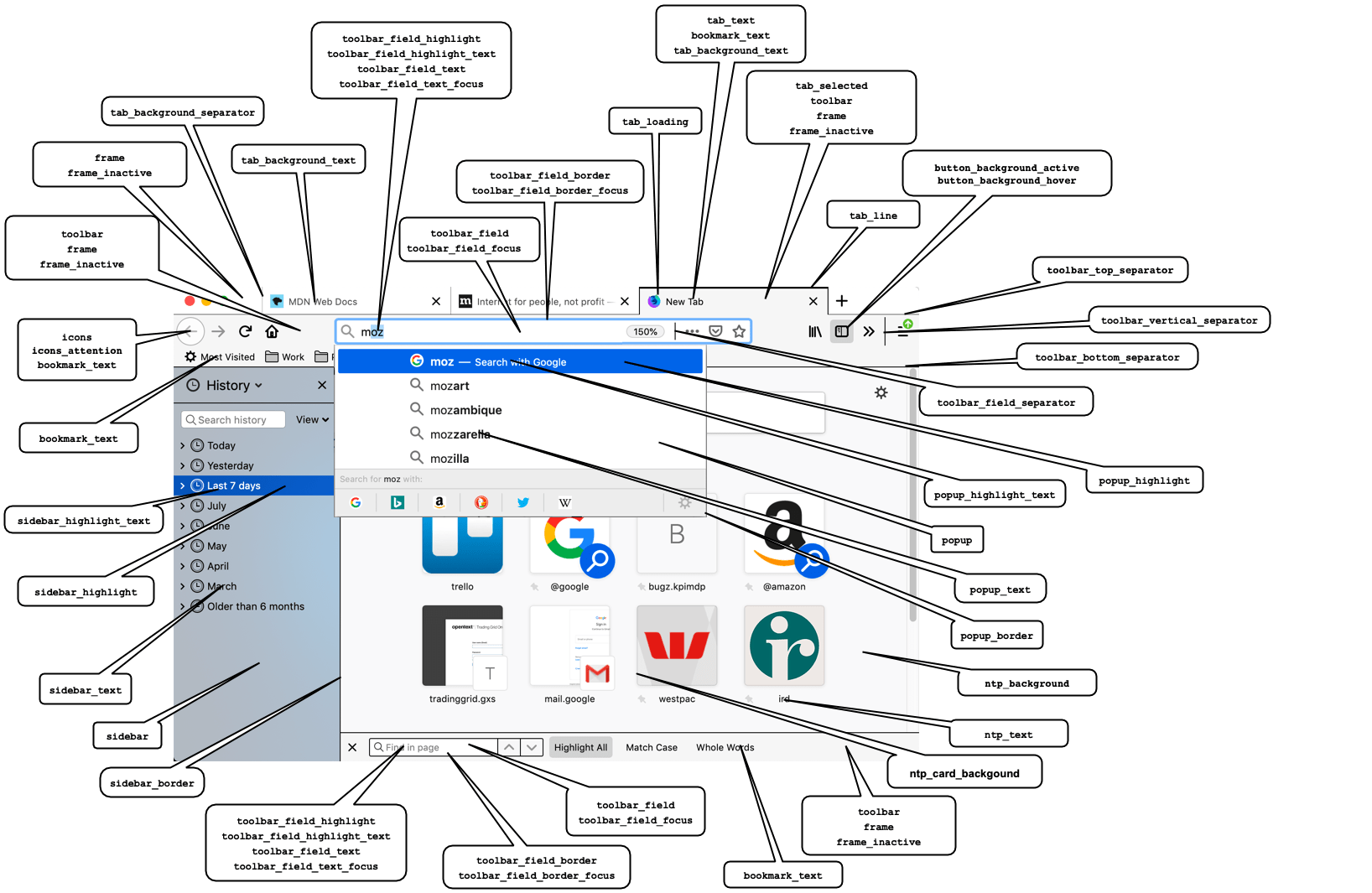
Overview of the color properties and how they apply to Firefox UI components

注意:當一個元件受多個顏色屬性影響時,屬性按優先順序順序列出。

所有這些屬性都可以指定為包含任何有效的 CSS 顏色字串(包括十六進位制)的字串,或 RGB 陣列,例如 "tab_background_text": [ 107 , 99 , 23 ]

注意:在 Chrome 中,顏色只能指定為 RGB 陣列

在 Firefox for Android 中,顏色可以使用以下方式指定

  • 僅完整十六進位制表示法,即 #RRGGBB。不支援透明度和縮寫語法,例如 #RGB[A]。
  • 針對 Firefox 68.2 或更高版本的主題的函式表示法(RGB 陣列)。

Firefox for Android 主題的顏色不能使用顏色名稱指定。

名稱 描述
bookmark_text

書籤和查詢欄中的文字和圖示的顏色。此外,如果未定義 tab_text,它將設定活動選項卡文字的顏色,如果未定義 icons,它將設定工具欄圖示的顏色。作為 toolbar_text 的 Chrome 相容別名提供。

注意:如果您使用 frameframe_inactivetoolbar,請確保所使用的任何顏色與這些屬性中使用的顏色形成良好的對比。

如果未定義 icons,還要確保與 button_background_activebutton_background_hover 形成良好的對比。

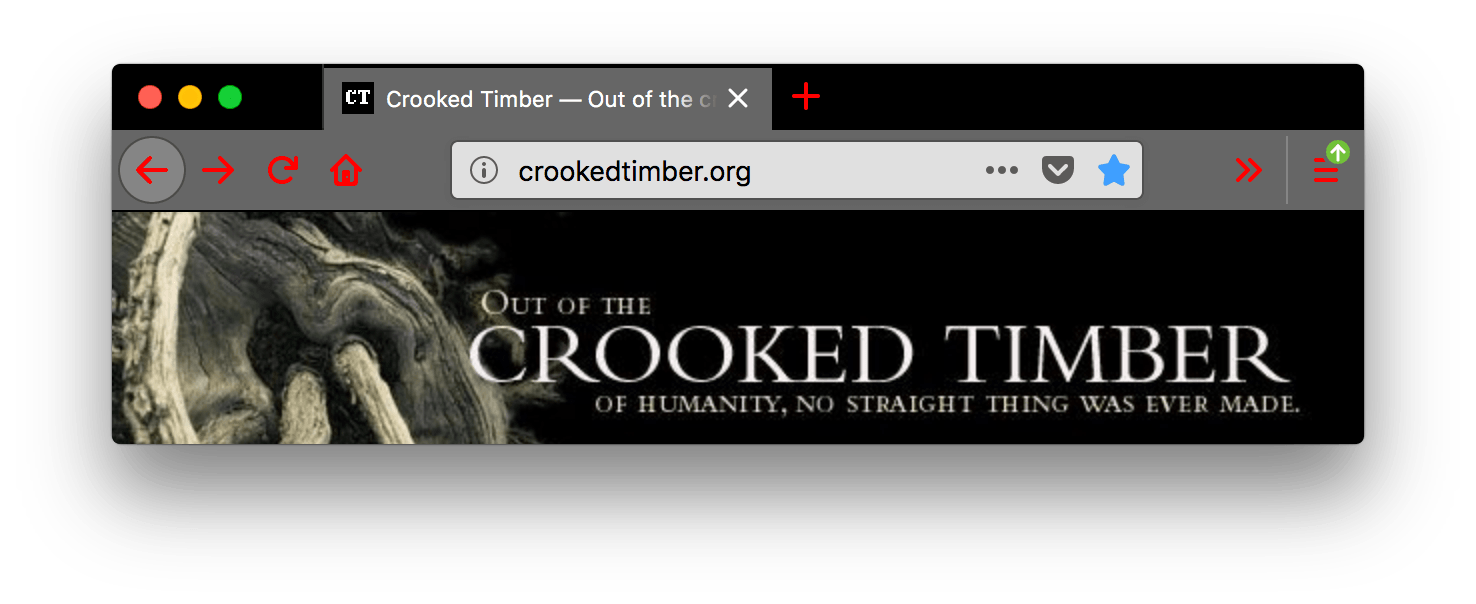
請參閱示例
json
"theme": {
  "colors": {
    "frame": "black",
    "tab_background_text": "white",
    "tab_text": "white",
    "toolbar": "black",
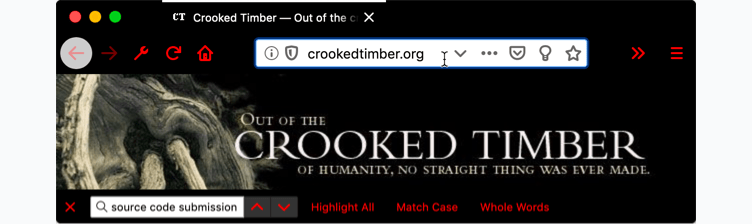
    "bookmark_text": "red"
  }
}

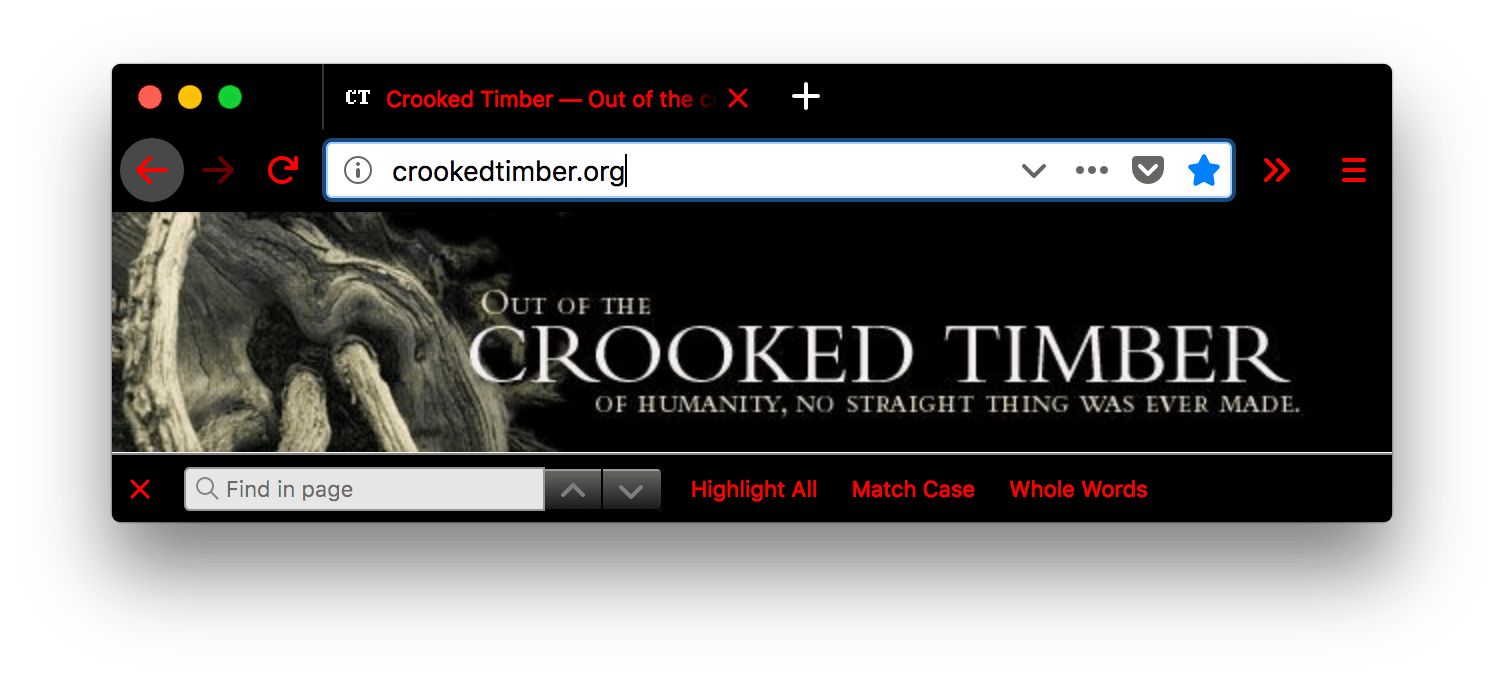
Browser Firefox is black. Browser's tab is black with white text. URL bar and the find in page bar are white with black text but all the browser and the find in page bar icons are red.

button_background_active

按下工具欄按鈕的背景顏色。

請參閱示例
json
"theme": {
  "colors": {
     "frame": "black",
     "tab_background_text": "white",
     "button_background_active": "red"
  }
}

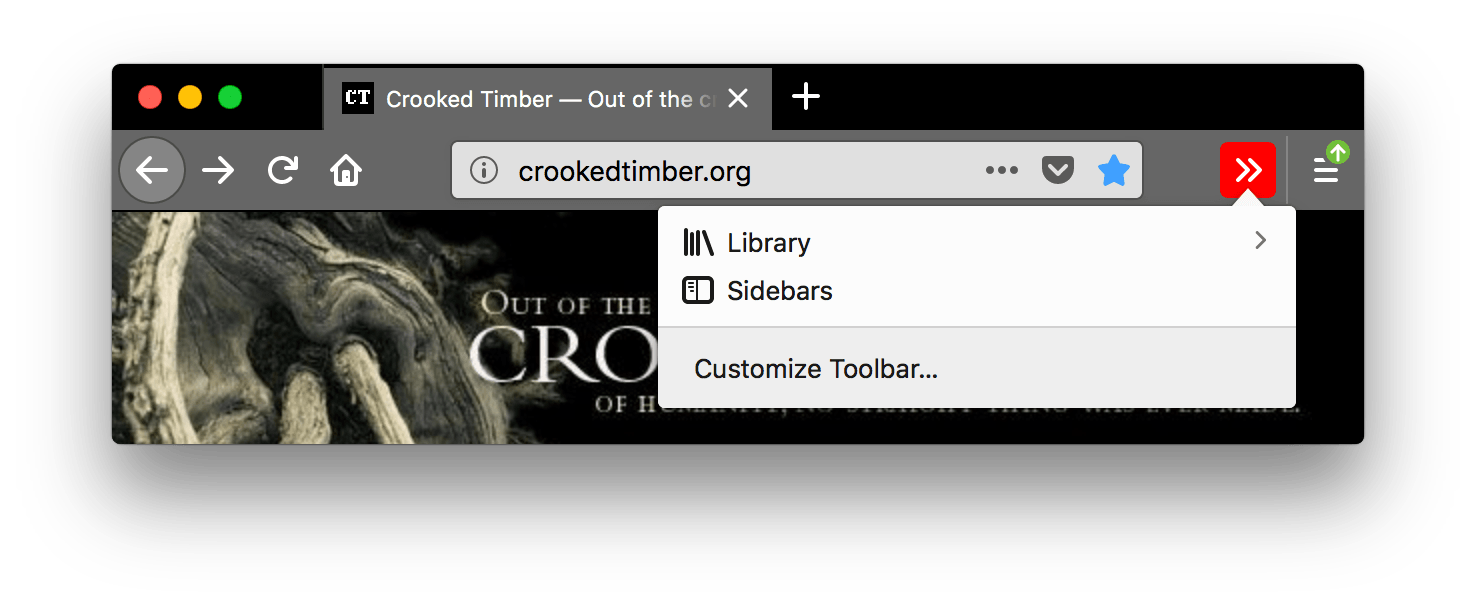
Browser firefox is black. Browser's tabs and URL bar are grey with white text. The customize toolbar icon in the url bar in white with a red background is pressed and a popup is open displaying a short list of thing to add to the toolbar such as the browser's library and the sidebars.

button_background_hover

滑鼠懸停時工具欄按鈕的背景顏色。

請參閱示例
json
"theme": {
  "colors": {
     "frame": "black",
     "tab_background_text": "white",
     "button_background_hover": "red"
  }
}

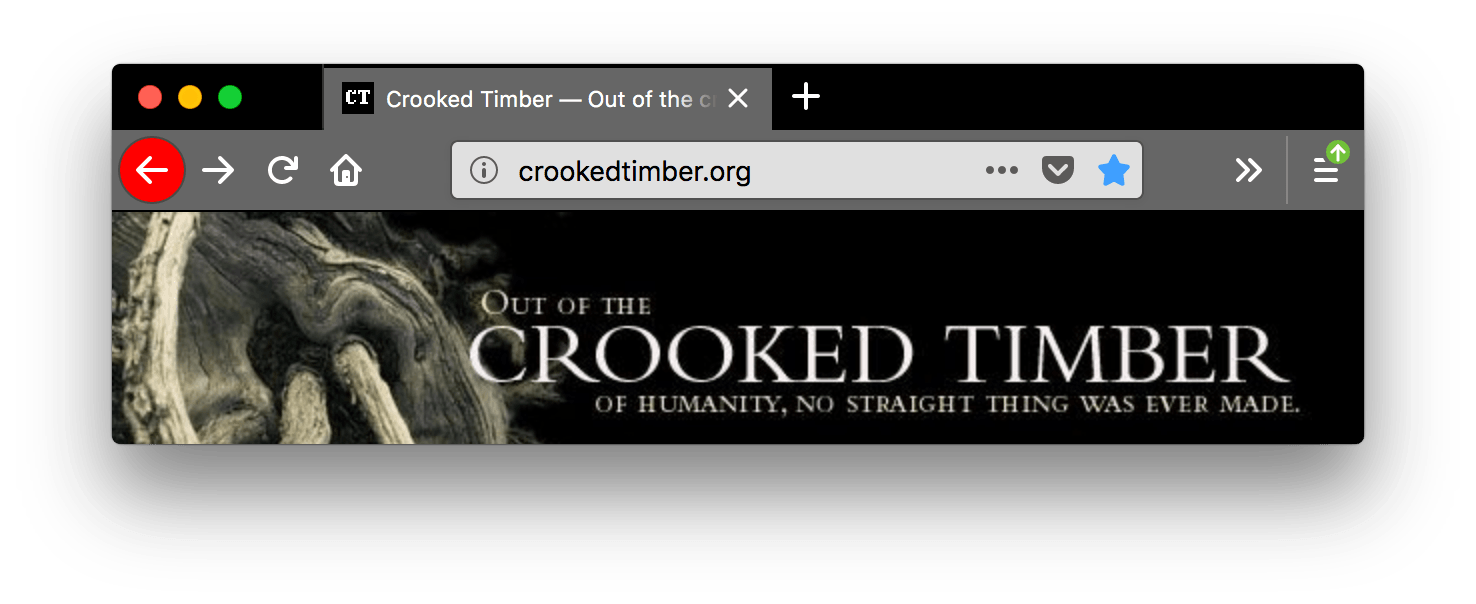
Browser firefox is black. Browser's tabs and URL bar are grey with white text. The go back one page icon is white with a red circle background.

icons

工具欄圖示的顏色,不包括查詢工具欄中的圖示。

注意:確保所使用的顏色與 frameframe_inactivebutton_background_activebutton_background_hover 中使用的顏色形成良好的對比。

請參閱示例
json
"theme": {
  "colors": {
     "frame": "black",
     "tab_background_text": "white",
     "icons": "red"
  }
}

Browser firefox is black. Browser's tabs and URL bar are grey with white text. The URL bar and open a new tab icons are red. The red icons contrast well with the black background color of the header area.

icons_attention

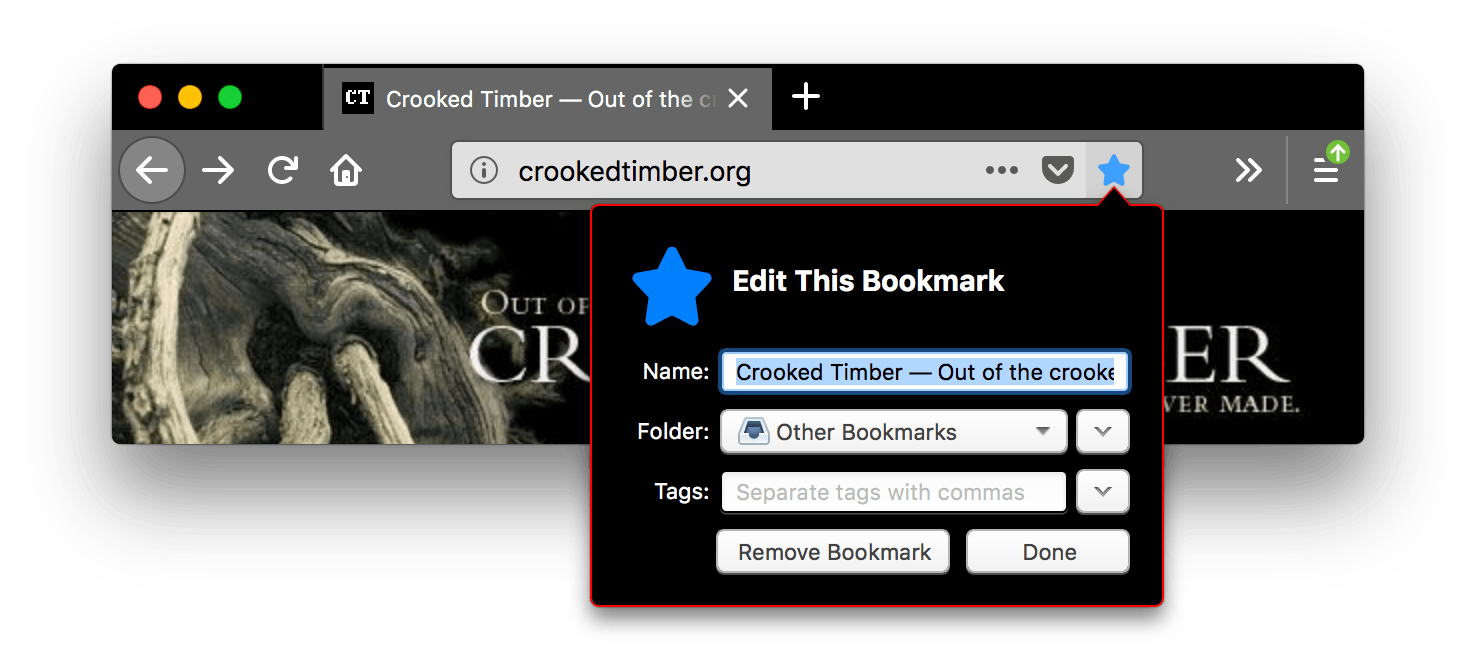
關注狀態下工具欄圖示的顏色,例如星標書籤圖示或已完成下載圖示。

注意:確保所使用的顏色與 frameframe_inactivebutton_background_activebutton_background_hover 中使用的顏色形成良好的對比。

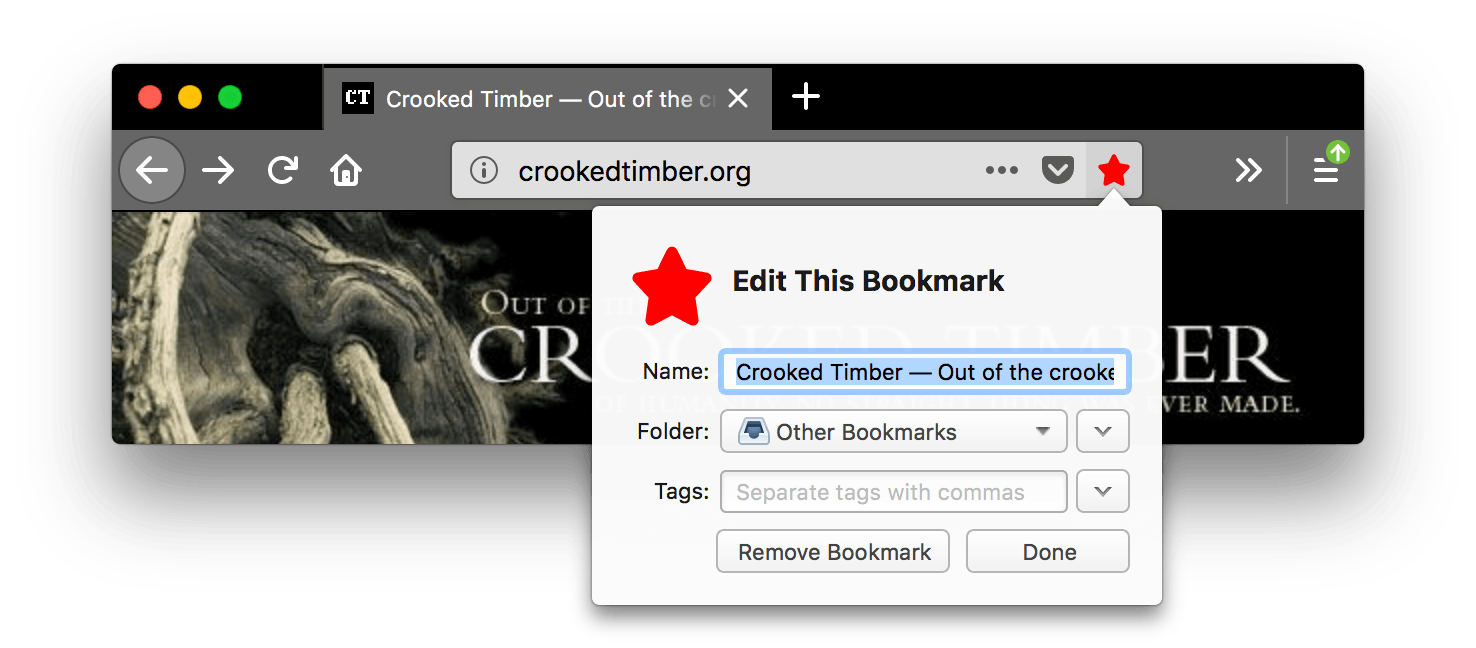
請參閱示例
json
"theme": {
  "colors": {
     "frame": "black",
     "tab_background_text": "white",
     "icons_attention": "red"
  }
}

Browser firefox is black. Browser's tabs and URL bar are grey with white text. The bookmark this page icon is red and pressed, an open popup name edit this bookmark is displayed. While in attention state, the toolbar icons contrast well with the black background of the header area.

frame

標題區域背景的顏色,顯示在標題未被 "theme_frame""additional_backgrounds" 中指定的影像覆蓋或可見的部分。

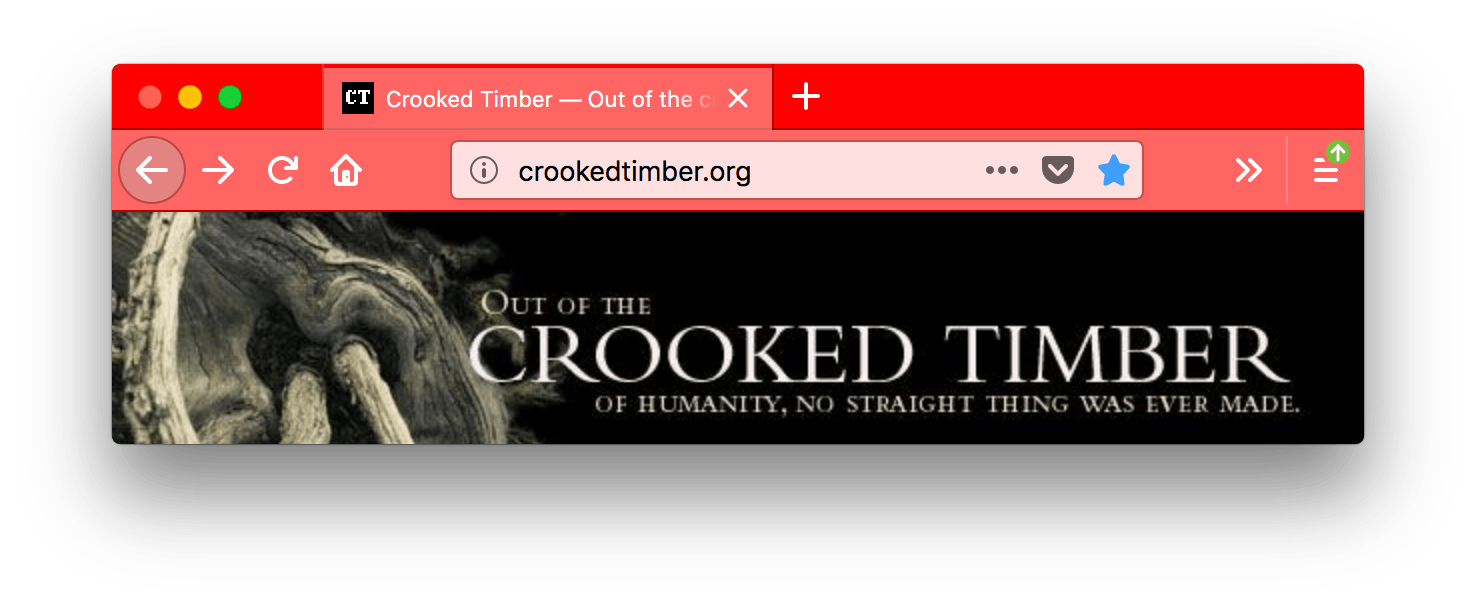
請參閱示例
json
"theme": {
  "colors": {
     "frame": "red",
     "tab_background_text": "white"
  }
}

Browser firefox is red with white text. Browsers tabs are lighter red, also with white text. URL bar is very light red with black text

frame_inactive

瀏覽器視窗不活動時標題區域背景的顏色,顯示在標題未被 "theme_frame""additional_backgrounds" 中指定的影像覆蓋或可見的部分。

請參閱示例
json
"theme": {
  "colors": {
     "frame": "red",
     "frame_inactive": "gray",
     "tab_text": "white"
  }
}

Browser firefox is grey. Browser's tabs and URL bar are lighter grey. The tab text is white and the URL bar icon are darker grey.

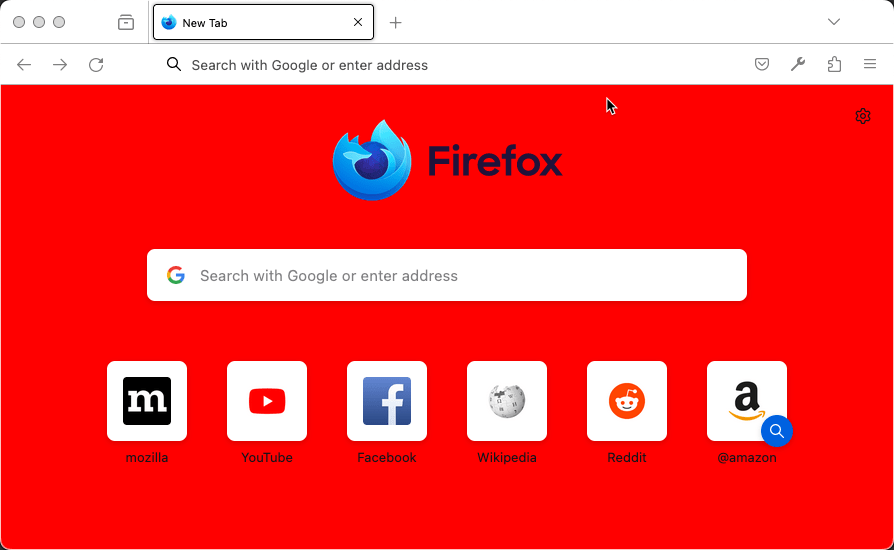
ntp_background

新標籤頁背景顏色。

請參閱示例
json
"theme": {
  "colors": {
     "ntp_background": "red"
  }
}

Firefox showing a new tab page. The background of the page is red.

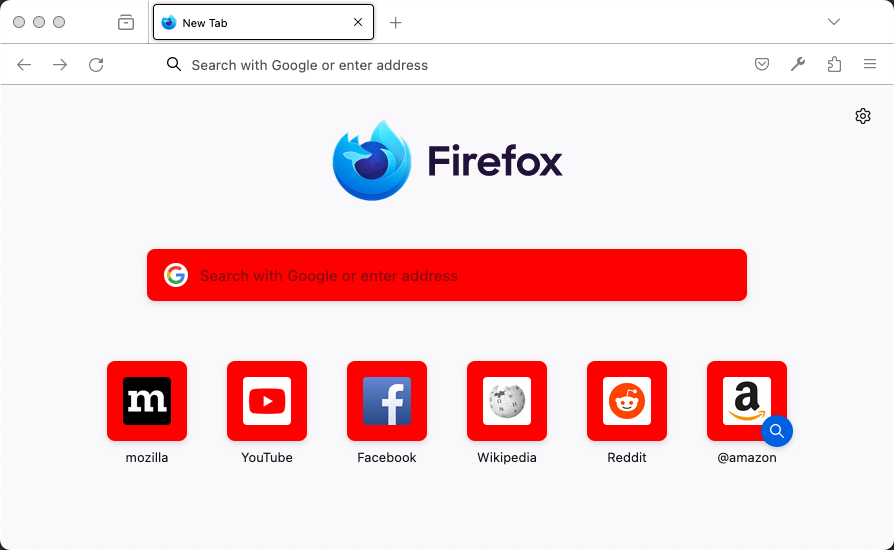
ntp_card_background

新標籤頁卡片背景顏色。

請參閱示例
json
"theme": {
  "colors": {
     "ntp_card_background": "red"
  }
}

Firefox showing a new tab page. On the page, the background to the search bar and shortcut buttons is red.

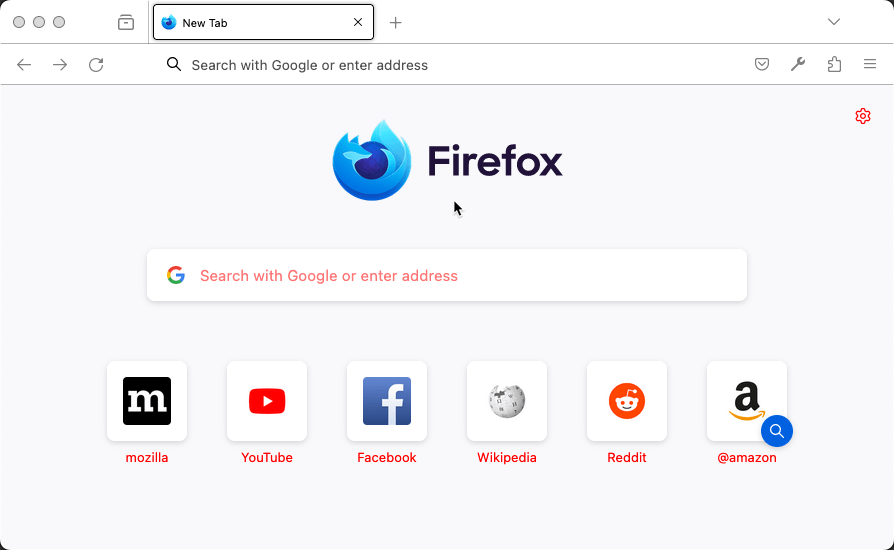
ntp_text

新標籤頁文字顏色。

注意:確保所使用的顏色與 ntp_backgroundntp_card_background 中使用的顏色形成良好的對比。

請參閱示例
json
"theme": {
  "colors": {
     "ntp_text": "red"
  }
}

Firefox showing a new tab page. On the page, the text is in red.

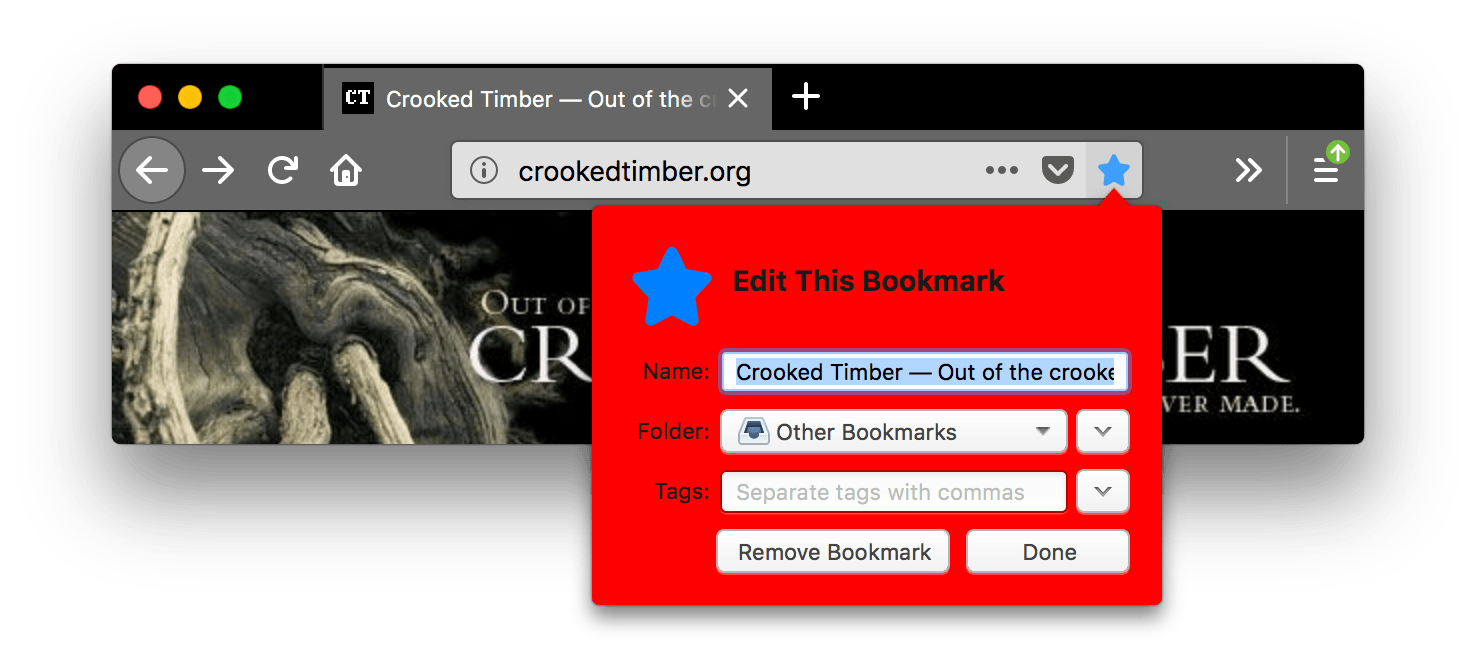
popup

彈出視窗(例如 URL 欄下拉選單和箭頭面板)的背景顏色。

請參閱示例
json
"theme": {
  "colors": {
     "frame": "black",
     "tab_background_text": "white",
     "popup": "red"
  }
}

Browser firefox is black. Browser's tabs and URL bar are lighter grey with icons and text in white. The bookmark this page icon is blue and pressed, an open popup name 'edit this bookmark' is displayed with a red background. The background color of the popup is red.

popup_border

彈出視窗的邊框顏色。

請參閱示例
json
"theme": {
  "colors": {
     "frame": "black",
     "tab_background_text": "white",
     "popup": "black",
     "popup_text": "white",
     "popup_border": "red"
  }
}

Browser firefox is black. Browser's tabs and URL bar are lighter grey with icons and text in white. The bookmark this page icon is blue and pressed, an open popup name 'edit this bookmark' is displayed with a red outline and black background. The popup's border is red.

popup_highlight

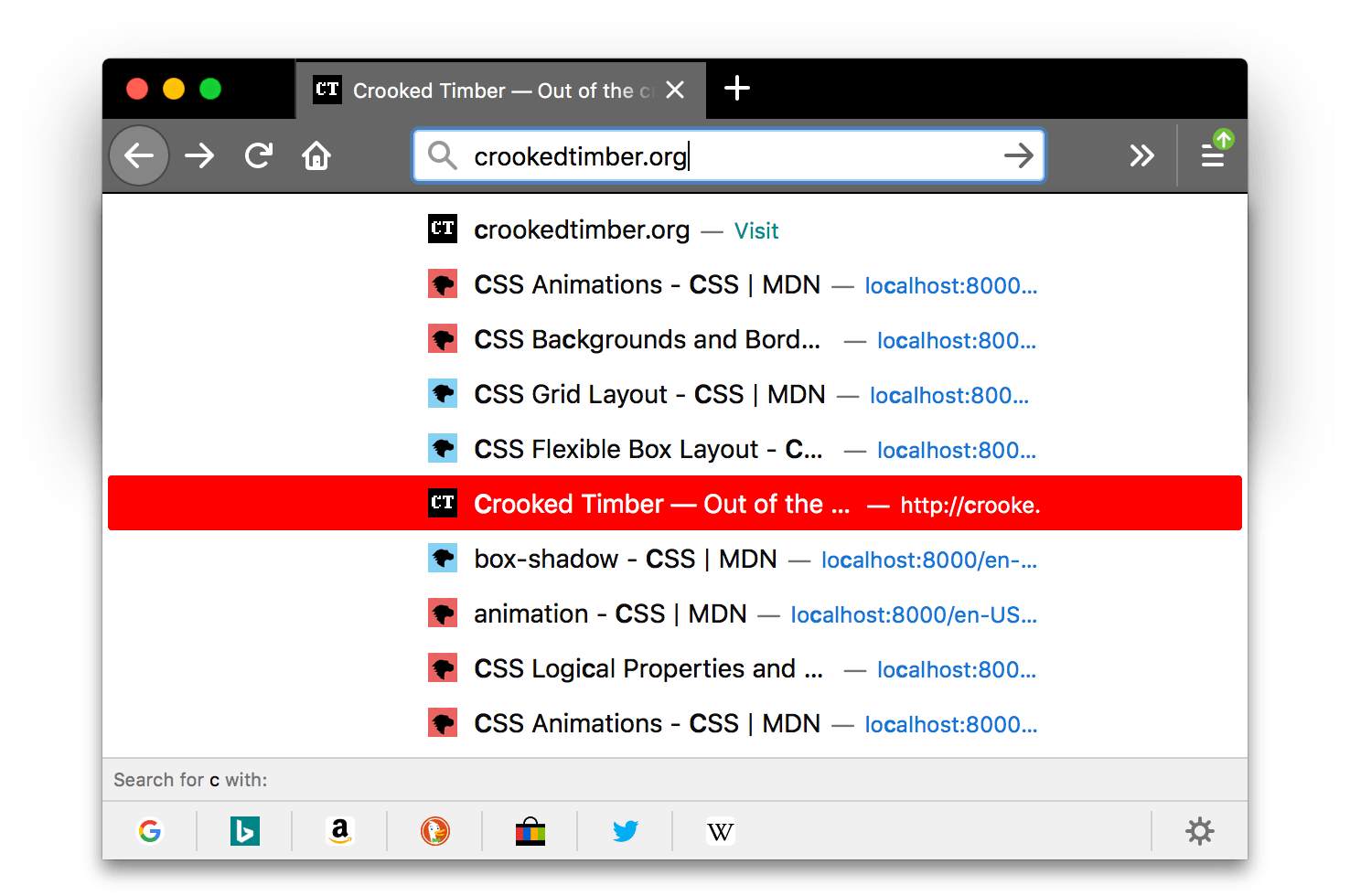
在彈出視窗內使用鍵盤突出顯示的專案(例如選定的 URL 欄下拉選單項)的背景顏色。

注意:建議定義 popup_highlight_text 以覆蓋不同平臺上瀏覽器的預設文字顏色。

請參閱示例
json
"theme": {
  "colors": {
     "frame": "black",
     "tab_background_text": "white",
     "popup_highlight": "red",
     "popup_highlight_text": "white"
  }
}

screenshot of firefox is black. Browser's tabs and URL bar are lighter grey with icons and text in white. A search results popup is displayed with a highlighted item's background in red. The background color of the highlighted item inside the popup is red.

popup_highlight_text

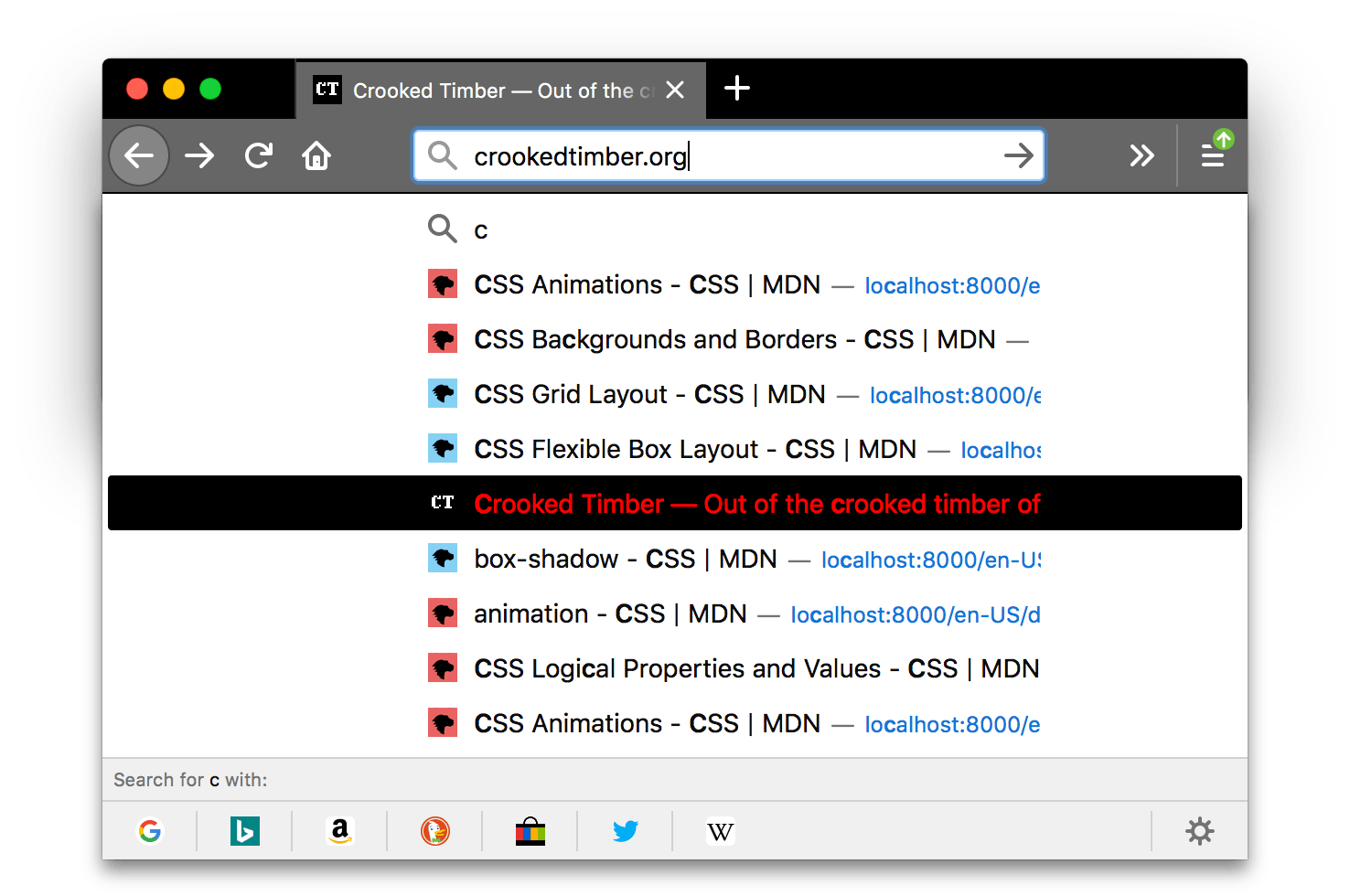
彈出視窗內突出顯示專案的文字顏色。

注意:確保所使用的顏色與 popup_highlight 中使用的顏色形成良好的對比。

請參閱示例
json
"theme": {
  "colors": {
     "frame": "black",
     "tab_background_text": "white",
     "popup_highlight": "black",
     "popup_highlight_text": "red"
  }
}

Browser firefox is black. Browser's tabs and URL bar are lighter grey with icons and text in white. A search results popup is displayed with a highlighted item's text in red with a black background. The text color of the highlighted item contrasts well with the black background color of this item.

popup_text

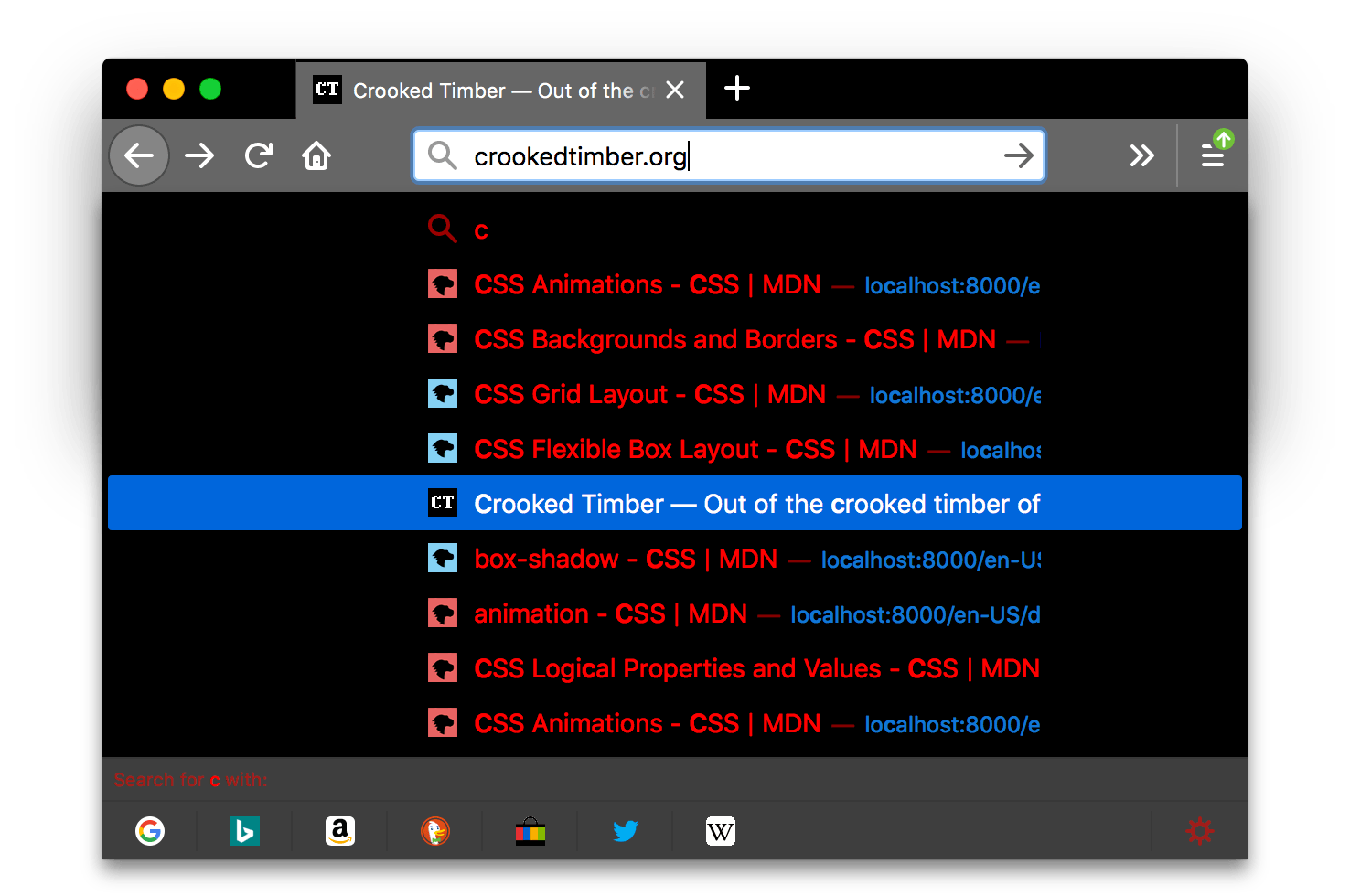
彈出視窗的文字顏色。

注意:確保所使用的顏色與 popup 中使用的顏色形成良好的對比。

請參閱示例
json
"theme": {
  "colors": {
     "frame": "black",
     "tab_background_text": "white",
     "popup": "black",
     "popup_text": "red"
  }
}

Browser firefox is black. Browser's tabs and URL bar are lighter grey with icons and text in white. A search results popup is displayed with items texts in red. The text color contrasts well with the black background color of the popup.

側邊欄

側邊欄的背景顏色。

請參閱示例
json
"theme": {
  "colors": {
     "sidebar": "red",
     "sidebar_highlight": "white",
     "sidebar_highlight_text": "green",
     "sidebar_text": "white"
  }
}

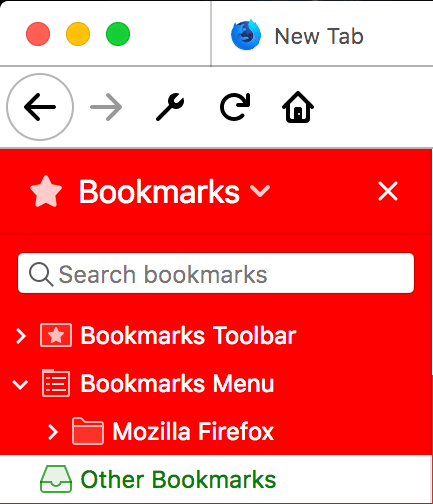
A close-up screenshot of a browser windows's open sidebar. The background color of the sidebar is red.

sidebar_border

瀏覽器側邊欄的邊框和分隔線顏色

請參閱示例
json
"theme": {
  "colors": {
     "sidebar_border": "red"
  }
}

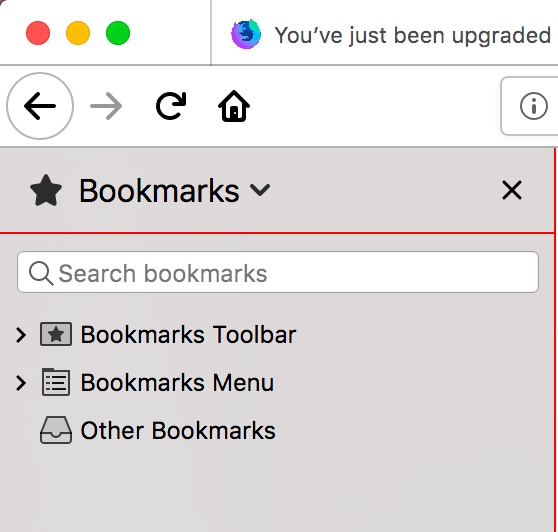
A closeup of the firefox browser bookmarks sidebar with a red horizontal separator between the sidebar title and the sidebar menu. The border and splitter color of the sidebar is red.

sidebar_highlight

內建側邊欄中突出顯示行的背景顏色

請參閱示例
json
"theme": {
  "colors": {
     "sidebar_highlight": "red",
     "sidebar_highlight_text": "white"
  }
}

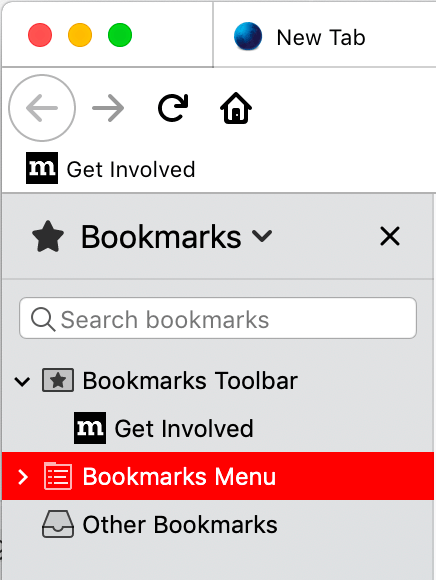
A closeup of the firefox browser bookmarks sidebar with a highlighted item. The background color of a highlighted row in the sidebar is red with white text.

sidebar_highlight_text

側邊欄中突出顯示行的文字顏色。

注意:確保所使用的顏色與 sidebar_highlight 中使用的顏色形成良好的對比。

請參閱示例
json
"theme": {
  "colors": {
    "sidebar_highlight": "pink",
    "sidebar_highlight_text": "red",
  }
}

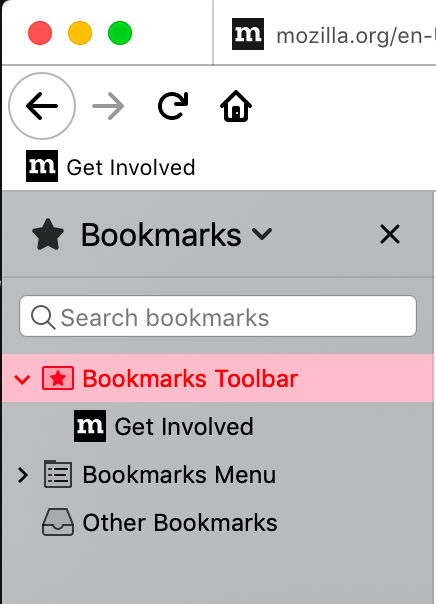
A closeup of the firefox browser bookmarks sidebar with a highlighted item. The color of the text of a highlighted row in the sidebar is red. The text color contrasts well with the pink background color of the highlighted row.

sidebar_text

側邊欄的文字顏色。

注意:確保所使用的顏色與 sidebar 中使用的顏色形成良好的對比。

請參閱示例
json
"theme": {
  "colors": {
     "sidebar": "red",
     "sidebar_highlight": "white",
     "sidebar_highlight_text": "green",
     "sidebar_text": "white"
  }
}

A close-up screenshot of a browser windows's open sidebar. The color of the text inside the sidebar is white. The text color contrasts well with the red background of the sidebar.

tab_background_separator 已棄用

警告:從 Firefox 89 開始,不支援 tab_background_separator

背景選項卡垂直分隔線的顏色。

請參閱示例
json
"theme": {
  "colors": {
     "frame": "black",
     "tab_background_text": "white",
     "tab_background_separator": "red"
  }
}

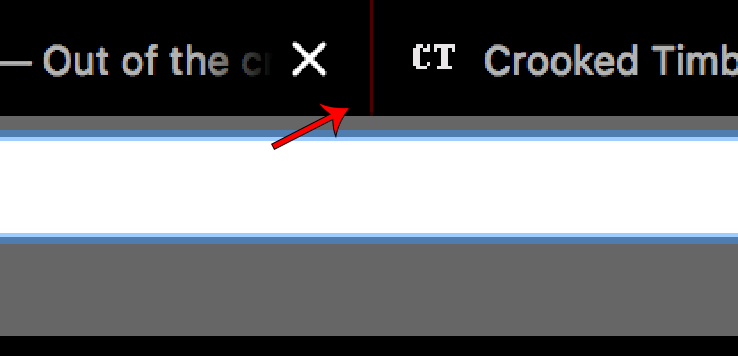
A closeup of browser tabs to highlight the separator.

tab_background_text

非活動頁面選項卡中顯示的文字顏色。如果未指定 tab_textbookmark_text,則應用於活動選項卡文字。

注意:確保所使用的顏色與 tab_selectedframeframe_inactive 中使用的顏色形成良好的對比。

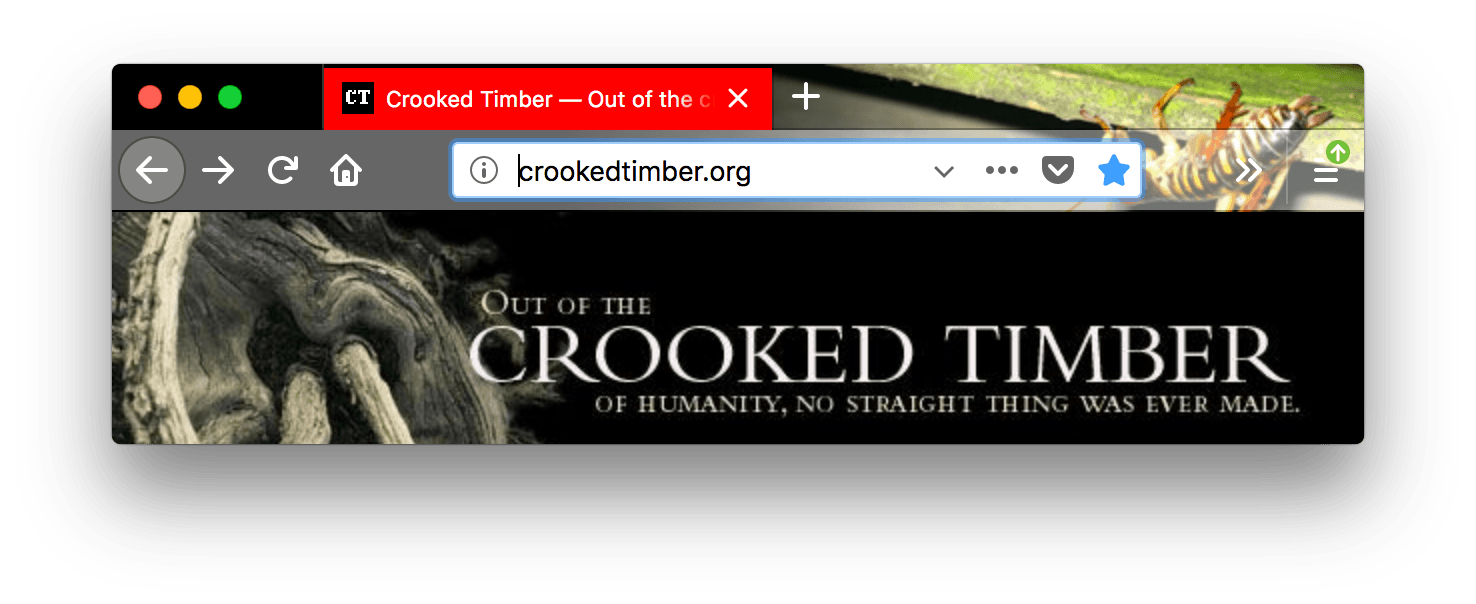
請參閱示例
json
"theme": {
  "colors": {
    "frame": "black",
    "toolbar": "white",
    "tab_background_text": "red"
  }
}

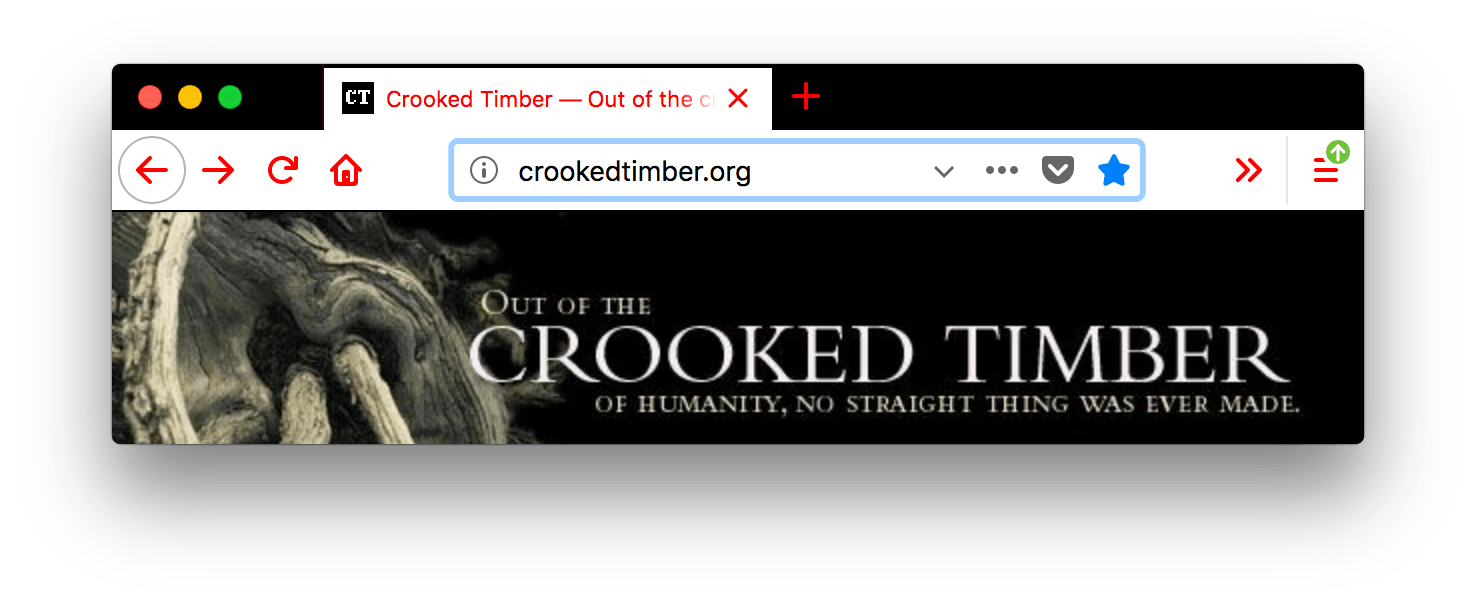
A screenshot of a browser window with one open tab. Browser is black. Browser's tabs and URL bar are white with red icons and red text. The color of the text in the open tab is red. The text color contrasts well with the black background color of the tab.

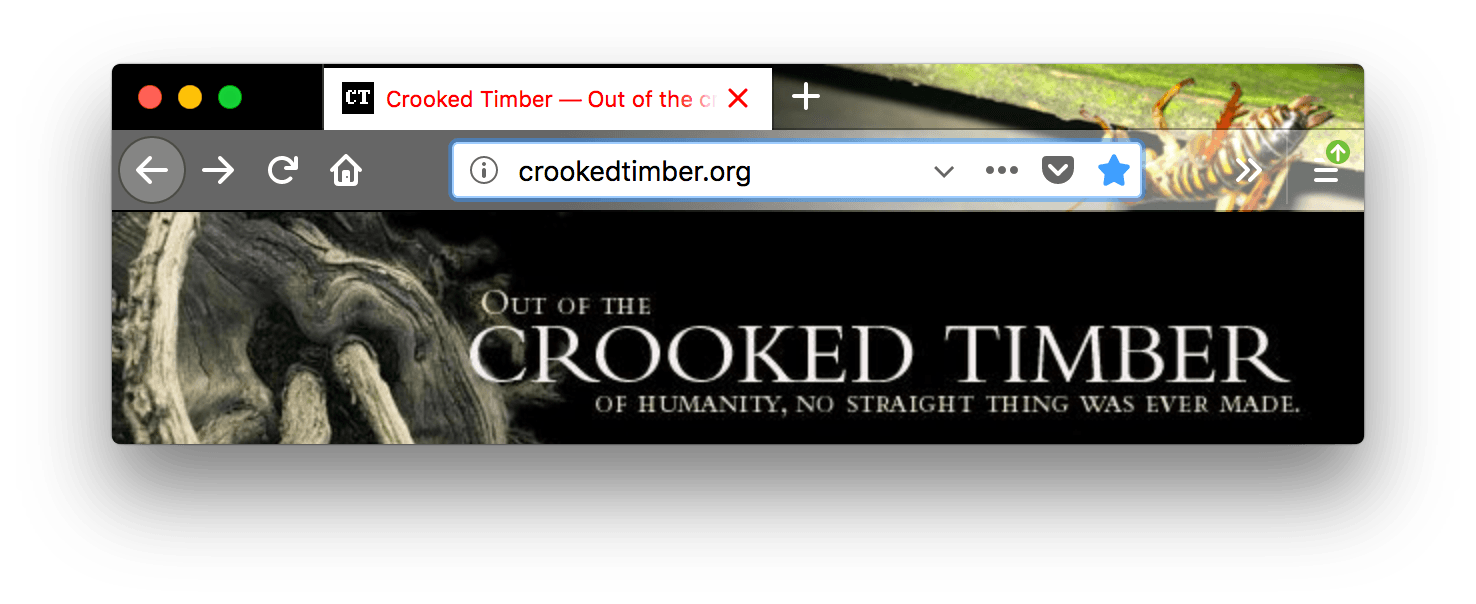
tab_line

選中選項卡線的顏色。

請參閱示例
json
"theme": {
  "colors": {
     "frame": "black",
     "tab_background_text": "white",
     "tab_line": "red"
  }
}

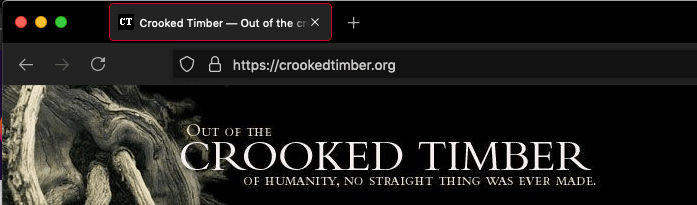
Browser firefox is black. Browser's tabs and URL bar are darker grey with lighter grey icons and white text. The selected tab has a red outline.

tab_loading

選項卡載入指示器和選項卡載入爆發的顏色。

請參閱示例
json
"theme": {
  "colors": {
     "frame": "black",
     "tab_background_text": "white",
     "tab_loading": "red"
  }
}

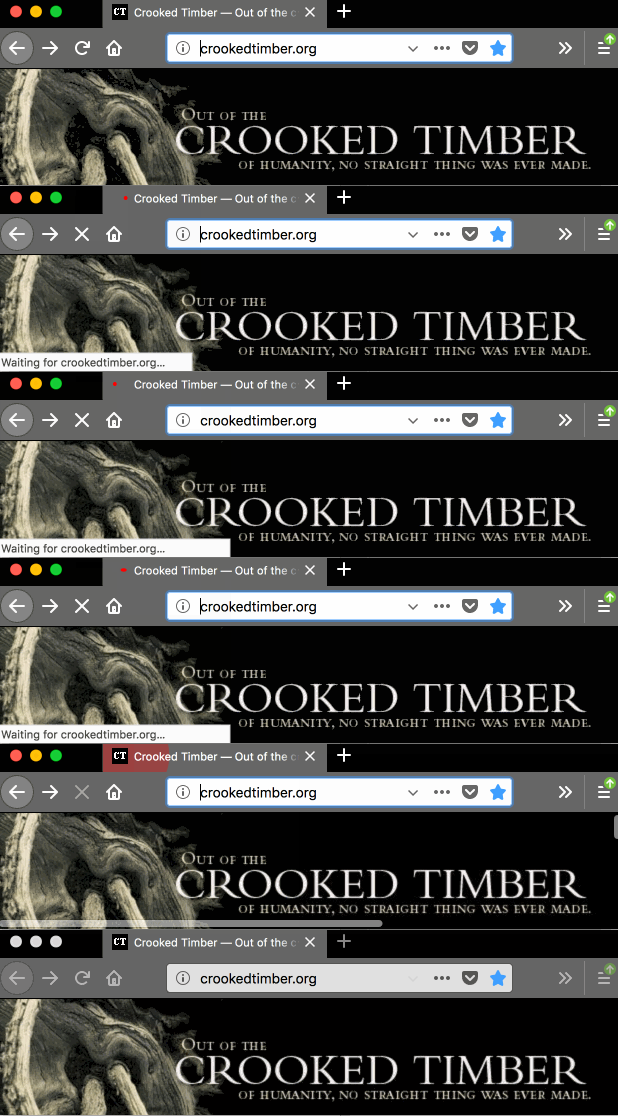
A screenshot of a browser window with one open tab. Browser is black. Browser's tabs and URL bar are darker grey with icons and text in white. Inside the selected tab an animated loading indicator is red.

tab_selected

選中選項卡的背景顏色。未在使用時,選中選項卡顏色由 frameframe_inactive 設定。

請參閱示例
json
"theme": {
  "images": {
  "theme_frame": "weta.png"
},
  "colors": {
     "frame": "black",
     "tab_background_text": "white",
     "tab_selected": "red"
  }
}

A screenshot of a browser window with one open tab. Browser is black. Browser's tabs and URL bar are darker grey with icons and text in white. The selected tab has red background and white text.

tab_text

從 Firefox 59 開始,它表示選中選項卡的文字顏色。如果未指定 tab_line,它還定義了選中選項卡線的顏色。

注意:確保所使用的顏色與 tab_selectedframeframe_inactive 中使用的顏色形成良好的對比。

請參閱示例
json
"theme": {
  "images": {
  "theme_frame": "weta.png"
},
  "colors": {
     "frame": "black",
     "tab_background_text": "white",
     "tab_selected": "white",
     "tab_text": "red"
  }
}

Browser firefox has a picture of an insect theme. URL bar is lighter grey with white icons. The selected tab text is red with white background.

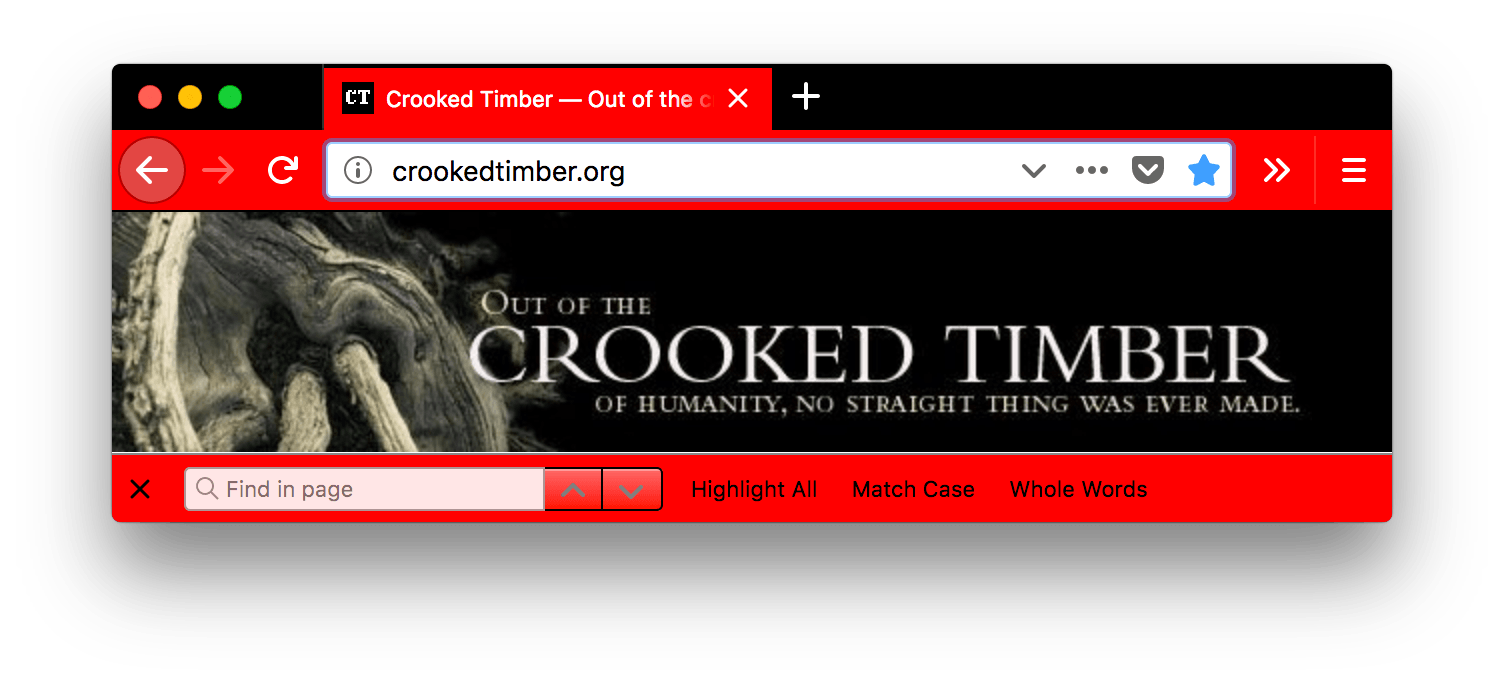
toolbar

導航欄、書籤欄和選中選項卡的背景顏色。

這也設定了“查詢”欄的背景顏色。

請參閱示例
json
"theme": {
  "colors": {
    "frame": "black",
    "toolbar": "red",
    "tab_background_text": "white"
  }
}

Browser firefox is black. Browser's tab, find in page bar and URL bar are red with white text and icons, except for the find in page bar where the text and icon are black.

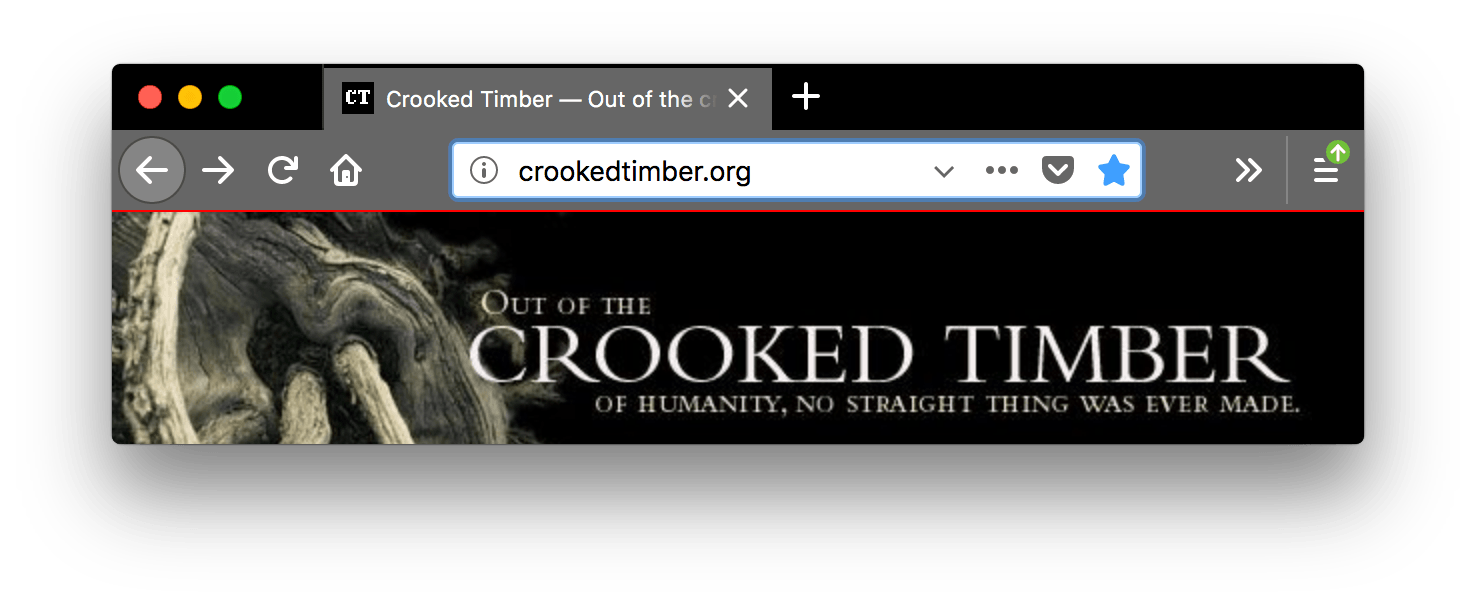
toolbar_bottom_separator

工具欄底部與下方區域分隔線的顏色。

請參閱示例
json
"theme": {
  "colors": {
    "frame": "black",
    "tab_background_text": "white",
    "toolbar_bottom_separator": "red"
  }
}

Browser firefox is black. Browser's tab and URL bar are lighter grey with white text and icons. A horizontal red line separates the bottom of the toolbar and the beginning of the display of the web page.

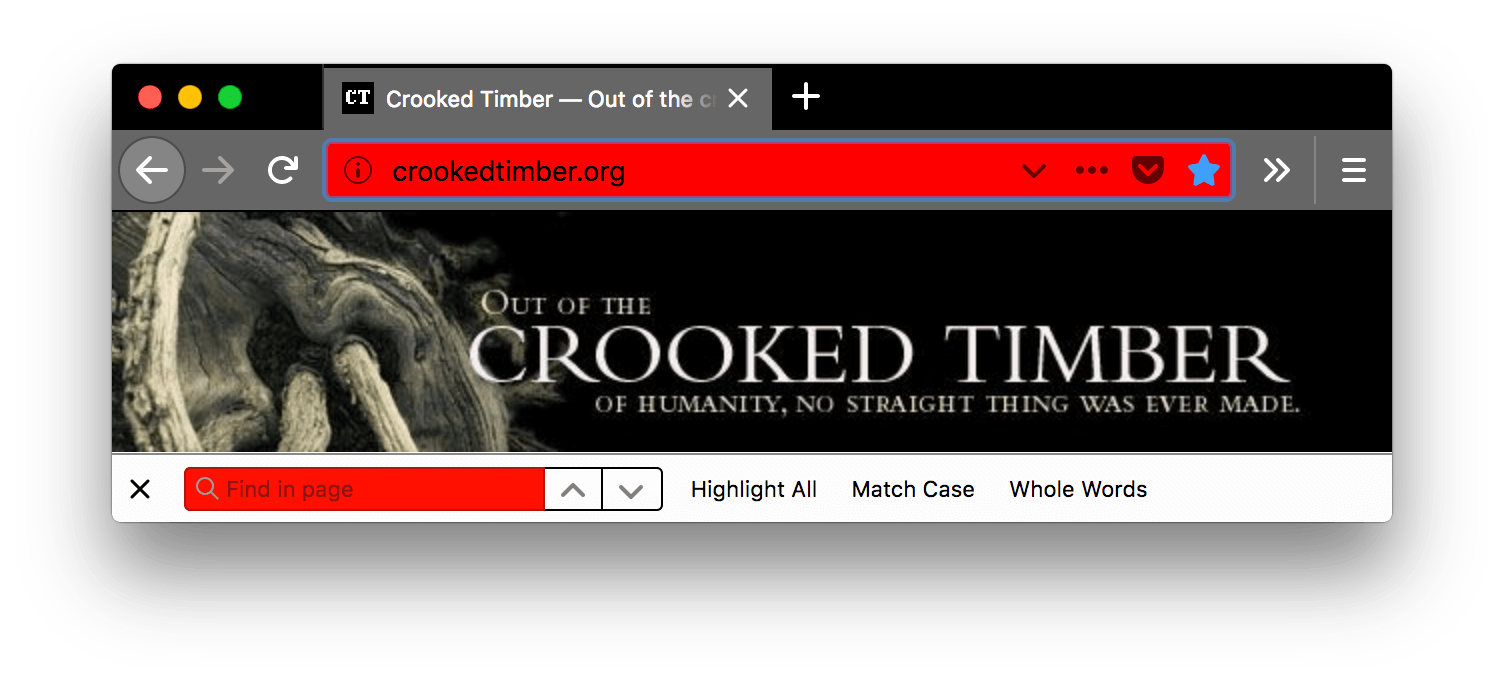
toolbar_field

工具欄中欄位的背景顏色,例如 URL 欄。

這也設定了頁面內查詢欄位的背景顏色。

請參閱示例
json
"theme": {
  "colors": {
    "frame": "black",
    "tab_background_text": "white",
    "toolbar_field": "red"
  }
}

Browser firefox is black. Browser's tab, find in page bar and URL bar are lighter grey with white text and icons. The background color of the URL bar is red. The find in page bar is white with black text. The find in page field is red with black text.

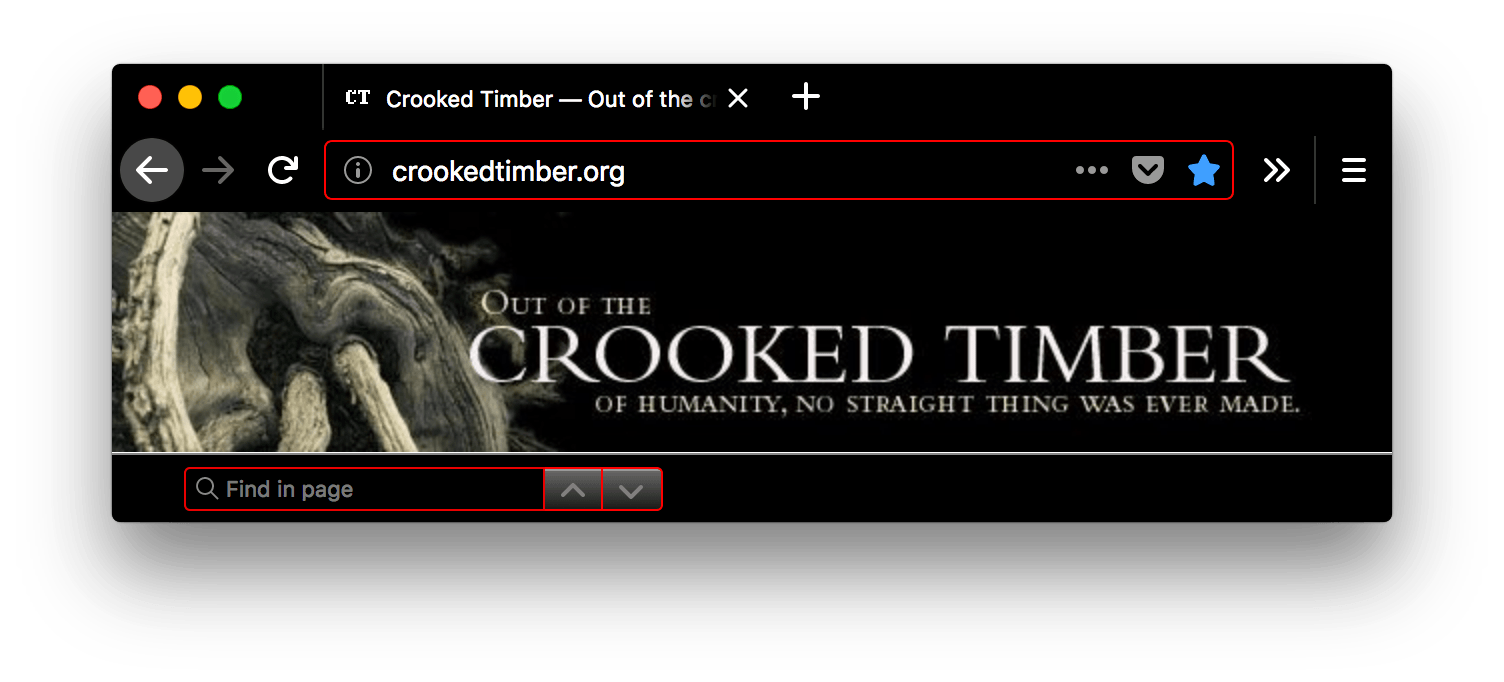
toolbar_field_border

工具欄中欄位的邊框顏色。

這也設定了頁面內查詢欄位的邊框顏色。

請參閱示例
json
"theme": {
  "colors": {
    "frame": "black",
    "toolbar": "black",
    "tab_background_text": "white",
    "toolbar_field": "black",
    "toolbar_field_text": "white",
    "toolbar_field_border": "red"
  }
}

Browser firefox is black. Browser's tab, find in page and URL bar are black with white text and icons. The URL bar and find in page fields are outlined in red.

toolbar_field_border_focus

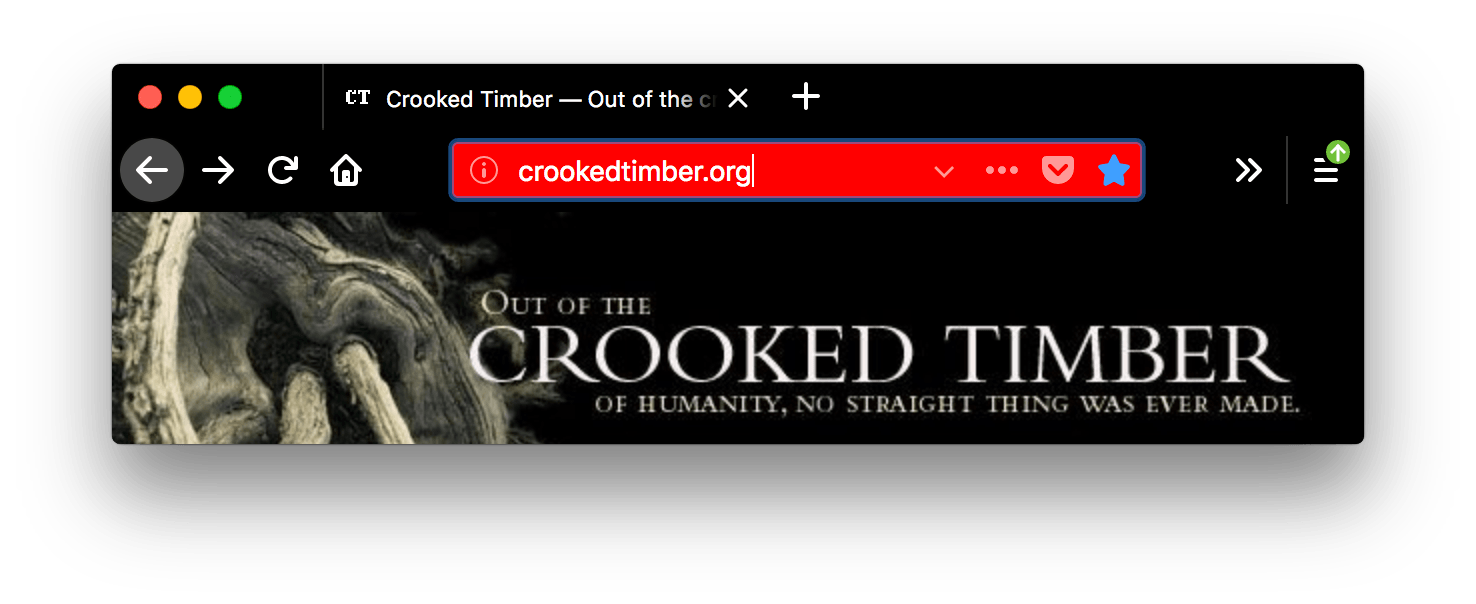
工具欄中欄位的聚焦邊框顏色。

請參閱示例
json
"theme": {
  "colors": {
    "frame": "black",
    "toolbar": "black",
    "tab_background_text": "white",
    "toolbar_field": "black",
    "toolbar_field_text": "white",
    "toolbar_field_border_focus": "red"
  }
}

Browser firefox is black. Browser's tab and URL bar are black with white text and icons. The url bar field is focused and outlined in red.

toolbar_field_focus

工具欄中欄位的聚焦背景顏色,例如 URL 欄。

請參閱示例
json
"theme": {
  "colors": {
    "frame": "black",
    "toolbar": "black",
    "tab_background_text": "white",
    "toolbar_field": "black",
    "toolbar_field_text": "white",
    "toolbar_field_focus": "red"
  }
}

Browser firefox is black. Browser's tab, find in page and URL bar are black with white text and icons. The background color of the focused URL bar is red and the text is white.

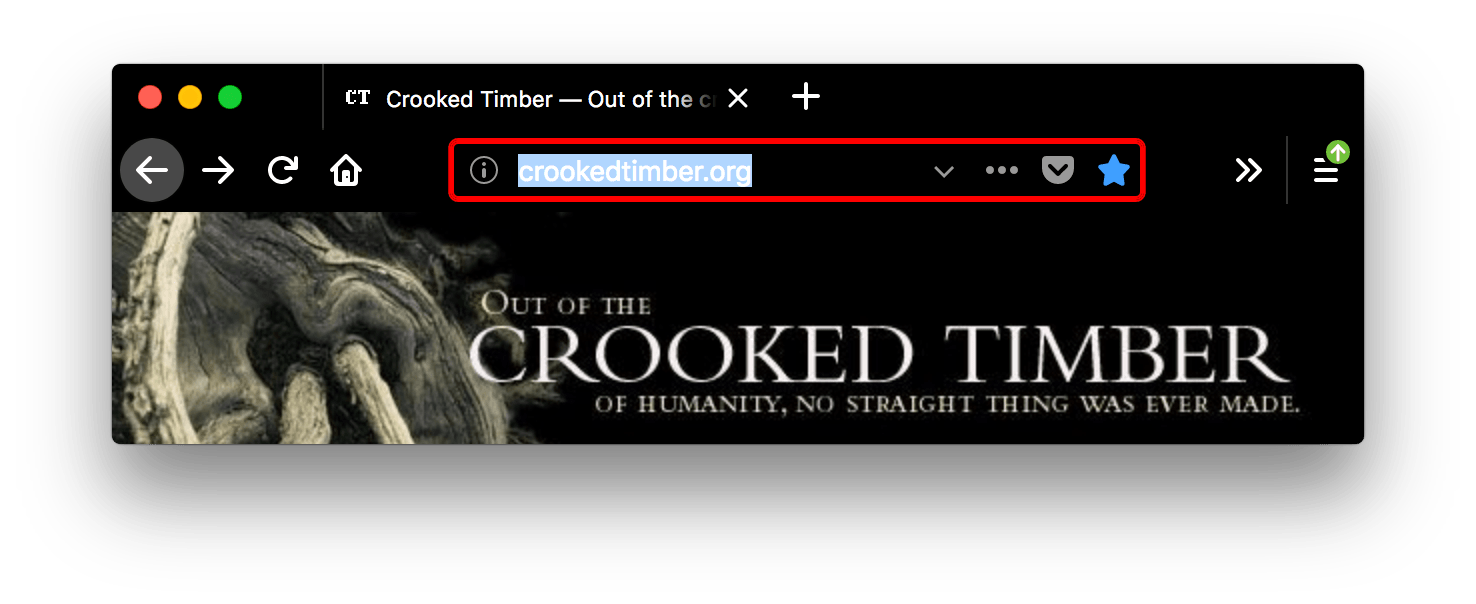
toolbar_field_highlight 用於指示 URL 欄(以及搜尋欄,如果配置為單獨的搜尋欄)中當前文字選擇的背景顏色。
請參閱示例
json
"theme": {
  "colors": {
    "toolbar_field": "rgb(255 255 255 / 91%)",
    "toolbar_field_text": "rgb(0 100 0)",
    "toolbar_field_highlight": "rgb(180 240 180 / 90%)",
    "toolbar_field_highlight_text": "rgb(0 80 0)"
  }
}

Browser firefox is white. Browser's tab and URL bar are white with text and icons in black. The URL bar field is focused and outlined in blue and URL bar text is selected.

在此處,toolbar_field_highlight 欄位指定高亮顏色為淺綠色,而文字使用 toolbar_field_highlight_text 設定為深綠色到中綠色。

toolbar_field_highlight_text

用於繪製 URL 欄(以及搜尋欄,如果配置為單獨的框)中當前選定文字的顏色。

注意:確保所使用的顏色與 toolbar_field_highlight 中使用的顏色形成良好的對比。

請參閱示例
json
"theme": {
  "colors": {
    "toolbar_field": "rgb(255 255 255 / 91%)",
    "toolbar_field_text": "rgb(0 100 0)",
    "toolbar_field_highlight": "rgb(180 240 180 / 90%)",
    "toolbar_field_highlight_text": "rgb(0 80 0)"
  }
}

Browser firefox is white. Browser's tab and URL bar are white with text and icons in black. The URL bar field is focused and outlined in blue and URL bar text is selected.

在此處,toolbar_field_highlight_text 欄位用於將文字顏色設定為深中綠色,而高亮顏色為淺綠色。

toolbar_field_separator 已棄用

警告:從 Firefox 89 開始,不支援 toolbar_field_separator

URL 欄內部分隔線的顏色。在 Firefox 58 中,這被實現為 toolbar_vertical_separator

請參閱示例
json
"theme": {
  "colors": {
    "frame": "black",
    "toolbar": "black",
    "tab_background_text": "white",
    "toolbar_field_separator": "red"
  }
}

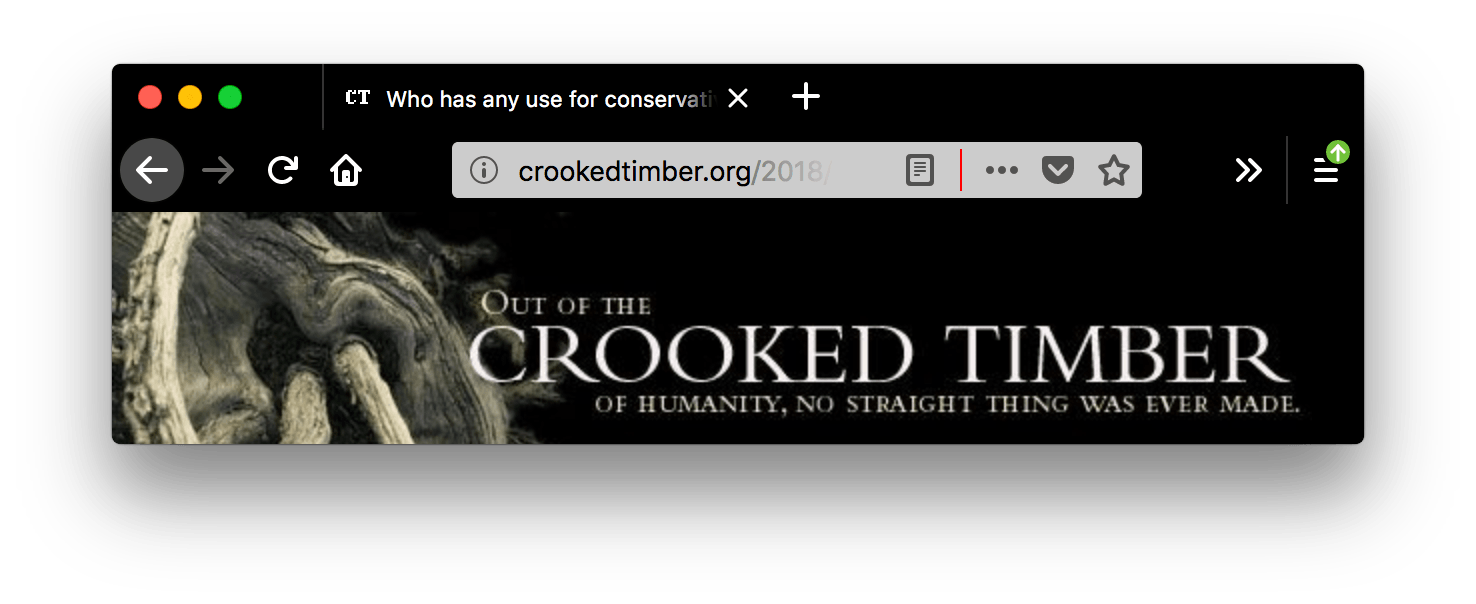
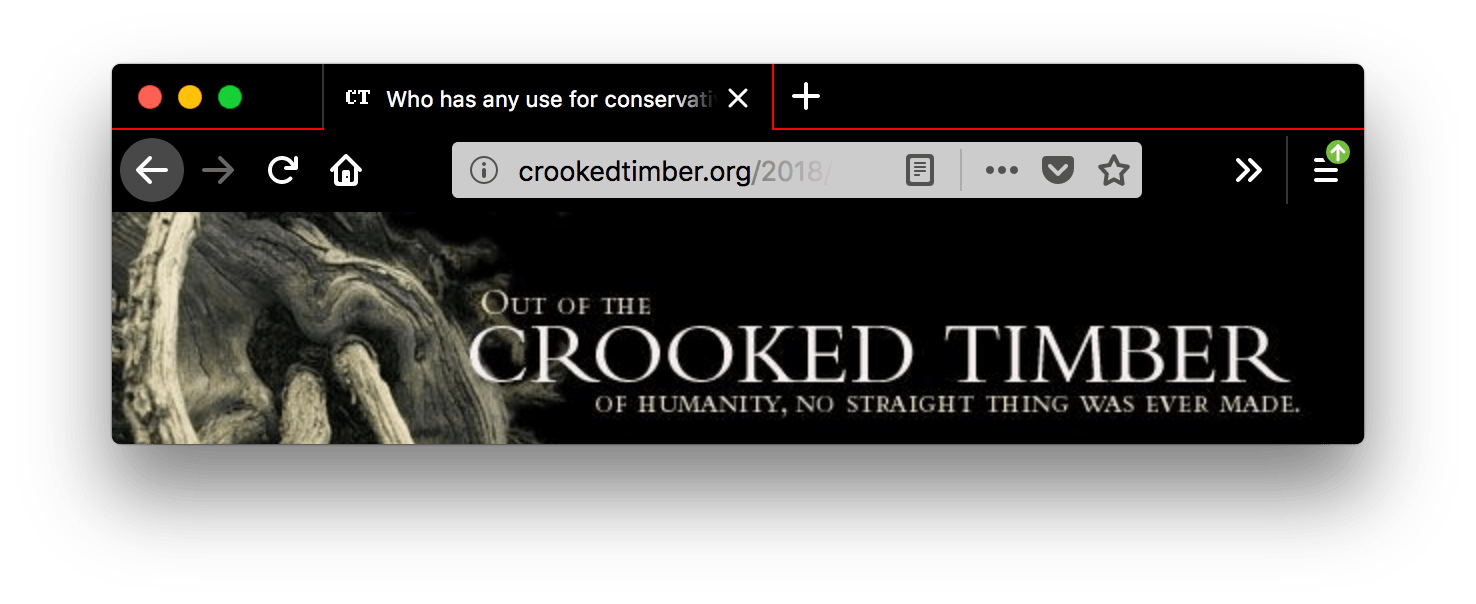
A screenshot of a browser window with one open tab. Browser firefox is black. Browser's tab and URL bar are black with text and icons in white. Inside the white URL bar field, after the reader mode icon a red vertical line separating the rest of URL bar icons. The color of the vertical separator line inside the URL bar is red.

在此截圖中,"toolbar_vertical_separator" 是 URL 欄中將閱讀模式圖示與其他圖示分隔開的紅色垂直線。

toolbar_field_text

工具欄中欄位的文字顏色,例如 URL 欄。這也設定了頁面內查詢欄位中文字的顏色。

注意:確保所使用的顏色與 toolbar_field 中使用的顏色形成良好的對比。

請參閱示例
json
"theme": {
  "colors": {
    "frame": "black",
    "toolbar": "black",
    "tab_background_text": "white",
    "toolbar_field": "black",
    "toolbar_field_text": "red"
  }
}

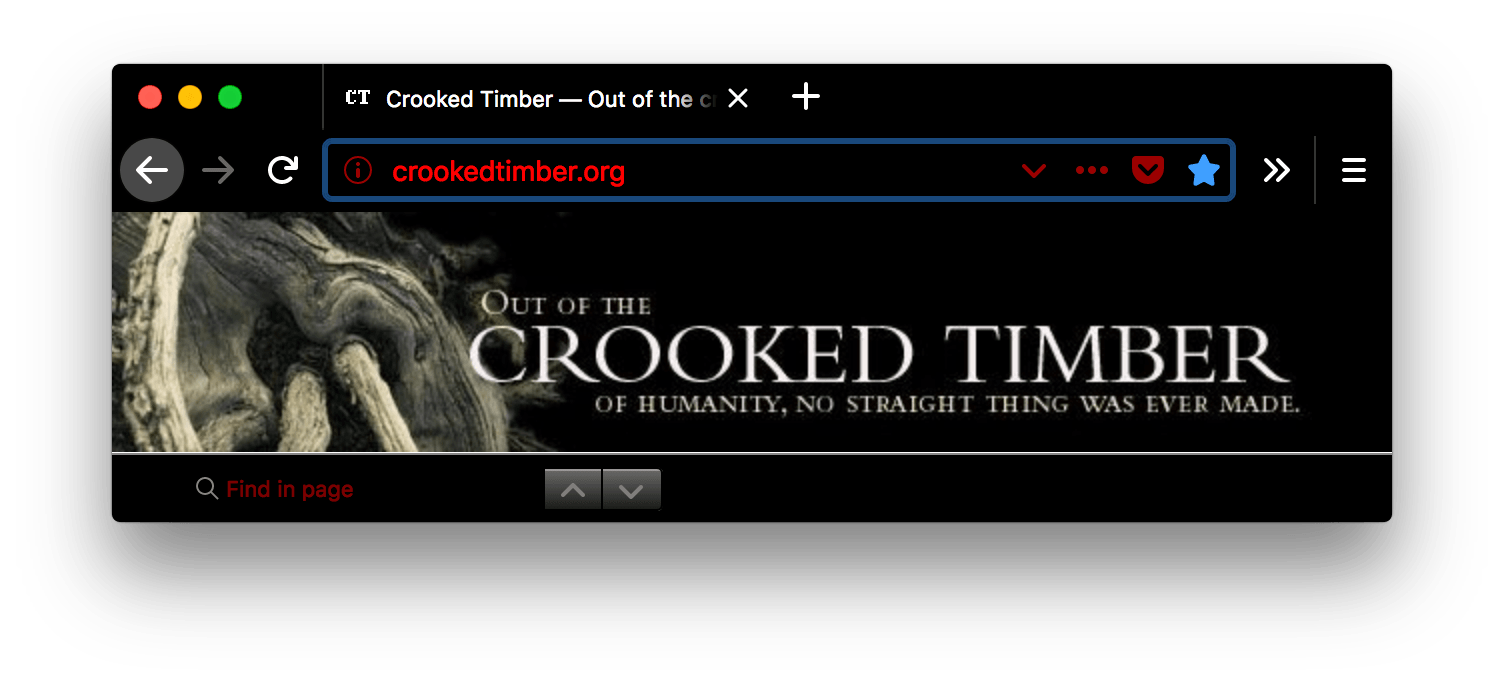
A screenshot of a browser window with one open tab. Browser is black. Browser's tab and URL bar are black with white text and icons. The text inside the URL bar is red. The icons and find in page field have red text with black background.

toolbar_field_text_focus

工具欄中聚焦欄位的文字顏色,例如 URL 欄。

注意:確保所使用的顏色與 toolbar_field_focus 中使用的顏色形成良好的對比。

請參閱示例
json
"theme": {
  "colors": {
    "frame": "black",
    "toolbar": "black",
    "tab_background_text": "white",
    "toolbar_field": "black",
    "toolbar_field_text": "white",
    "toolbar_field_text_focus": "red"
  }
}

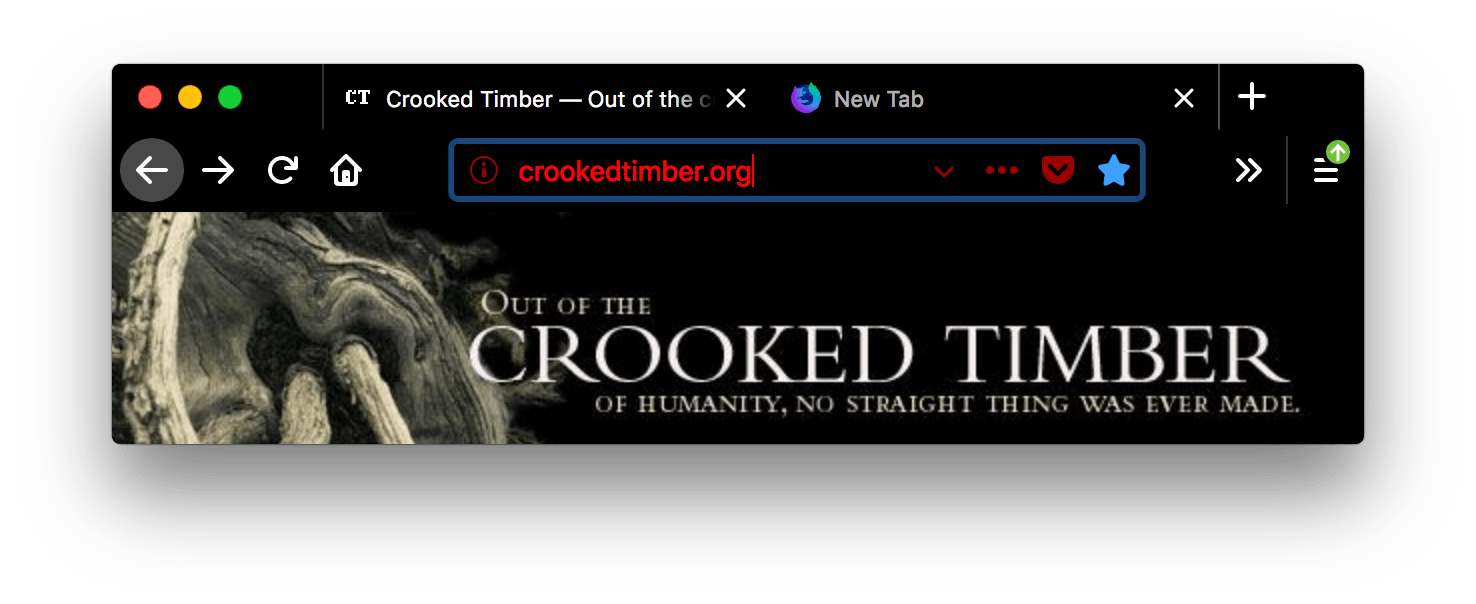
A screenshot of a browser window with two open tabs. Browser is black. Browser's tab and URL bar are black with text and icons in white. The URL bar has focus; the bar's text and icons are red with black background.

toolbar_text

工具欄文字的顏色。這也設定了“查詢”欄中文字的顏色。

注意:為了與 Chrome 相容,請使用別名 bookmark_text

請參閱示例
json
"theme": {
  "colors": {
    "frame": "black",
    "tab_background_text": "white",
    "toolbar": "black",
    "toolbar_text": "red"
  }
}

A screenshot of a browser window with one open tab. Browser is black. Browser's tab, find in page bar, and URL bar are black with red text and icons. The text inside the active tab, the navigator bar and the find bar is red.

toolbar_top_separator

工具欄頂部與上方區域分隔線的顏色。

請參閱示例
json
"theme": {
  "colors": {
    "frame": "black",
    "tab_background_text": "white",
    "toolbar": "black",
    "toolbar_top_separator": "red"
  }
}

A screenshot of a browser window with one open tab. Browser is black. Browser's tab and URL bar are black with white text and icons. A red line separates the top of the URL bar from the browser.

toolbar_vertical_separator

書籤工具欄中分隔線的顏色。在 Firefox 58 中,它對應於 URL 欄內部分隔線的顏色。

請參閱示例
json
"theme": {
  "colors": {
    "frame": "black",
    "tab_background_text": "white",
    "toolbar": "black",
    "toolbar_vertical_separator": "red"
  }
}

A screenshot of a browser window with one open tab. Browser is black. Browser's tab and URL bar are black with text and icons in white. The color of the vertical line separating the bookmarks toolbar from the content to the right is red.

別名

此外,此鍵接受各種屬性,這些屬性是上述屬性之一的別名。這些是為與 Chrome 相容而提供的。如果給出了別名,並且也給出了非別名版本,則值將取自非別名版本。

名稱 別名為
bookmark_text toolbar_text

properties

名稱 型別 描述
additional_backgrounds_alignment

Array of String

可選

定義相應 "additional_backgrounds": 陣列項對齊方式的列舉值陣列。
對齊選項包括

  • "bottom"
  • "center"
  • "left"
  • "right"
  • "top"
  • "center bottom"
  • "center center"
  • "center top"
  • "left bottom"
  • "left center"
  • "left top"
  • "right bottom"
  • "right center"
  • "right top".

如果未指定,預設為 "right top"

additional_backgrounds_tiling

Array of String

可選

定義相應 "additional_backgrounds": 陣列項重複方式的列舉值陣列。選項包括

  • "no-repeat"
  • "repeat"
  • "repeat-x"
  • "repeat-y"

如果未指定,預設為 "no-repeat"

color_scheme

String

可選

確定應用於 Chrome(例如,上下文選單)和內容(例如,內建頁面和網頁的首選配色方案)的配色方案。選項包括

  • "auto" – 根據主題自動選擇亮或暗方案。
  • "light" – 亮方案。
  • "dark" – 暗方案。
  • "system" – 使用系統方案。

如果未指定,預設為 "auto"

content_color_scheme

String

可選

確定應用於內容(例如,內建頁面和網頁的首選配色方案)的配色方案。覆蓋 color_scheme。選項包括

  • "auto" – 根據主題自動選擇亮或暗方案。
  • "light" – 亮方案。
  • "dark" – 暗方案。
  • "system" – 系統方案。

如果未指定,預設為 "auto"

示例

一個基本主題必須定義一個要新增到標題的影像、標題中使用的強調色以及標題中使用的文字顏色

json
 "theme": {
   "images": {
     "theme_frame": "images/sun.jpg"
   },
   "colors": {
     "frame": "#CF723F",
     "tab_background_text": "black"
   }
 }

可以使用多個影像填充標題。在 Firefox 60 版本之前,使用空白或透明的標題影像以控制每個附加影像的放置

json
 "theme": {
   "images": {
     "additional_backgrounds": [ "images/left.png", "images/middle.png", "images/right.png"]
   },
   "properties": {
     "additional_backgrounds_alignment": [ "left top", "top", "right top"]
   },
   "colors": {
     "frame": "blue",
     "tab_background_text": "white"
   }
 }

您還可以使用重複影像或影像填充標題,在這種情況下,一個影像錨定在標題的中間頂部,並重復遍佈標題的其餘部分

json
 "theme": {
   "images": {
     "additional_backgrounds": [ "images/logo.png"]
   },
   "properties": {
     "additional_backgrounds_alignment": [ "top" ],
     "additional_backgrounds_tiling": [ "repeat"  ]
   },
   "colors": {
     "frame": "green",
     "tab_background_text": "black"
   }
 }

以下示例使用了 theme.colors 的大多數不同值

json
  "theme": {
    "images": {
      "theme_frame": "weta.png"
    },

    "colors": {
       "frame": "darkgreen",
       "tab_background_text": "white",
       "toolbar": "blue",
       "bookmark_text": "cyan",
       "toolbar_field": "orange",
       "toolbar_field_border": "white",
       "toolbar_field_text": "green",
       "toolbar_top_separator": "red",
       "toolbar_bottom_separator": "white",
       "toolbar_vertical_separator": "white"
    }
  }

它將為您提供一個看起來像這樣的瀏覽器
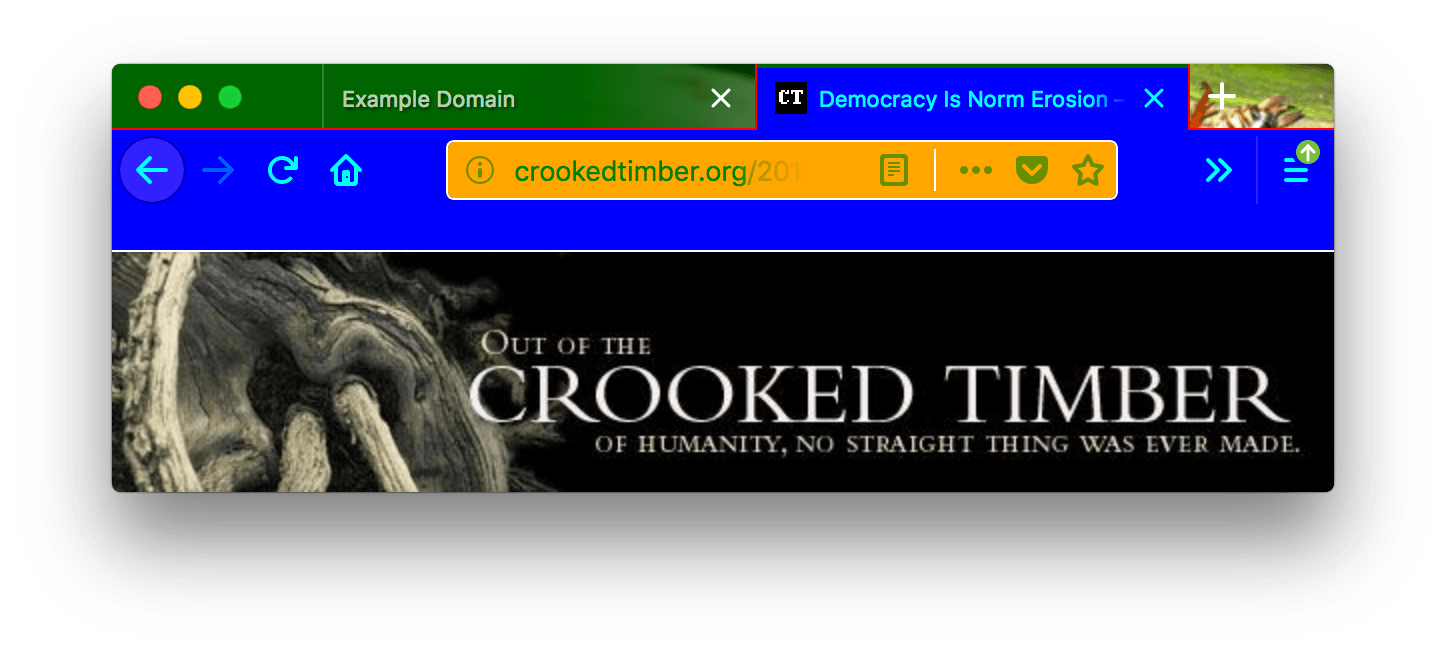
A browser window with two open tabs and dark green background color in the header area. The inactive tab has a white text color. The active tab and the toolbar have a blue background color with cyan-colored text. The URL bar has an orange background with white borders, a green text color and a white-colored vertical line separator. A red-colored line is used to separate the tabs on the top and a white line to separate the tabs from the content bellow them.

在此截圖中,"toolbar_vertical_separator" 是 URL 欄中將閱讀模式圖示與其他圖示分隔開的白色垂直線。

瀏覽器相容性

Chrome 相容性

在 Chrome 中

  • 不使用 colors/toolbar_text,請改用 colors/bookmark_text

  • images/theme_frame 將影像錨定到標題的左上角,如果影像未填充標題區域,則平鋪影像。

  • 所有顏色都必須指定為 RGB 值陣列,如下所示

    json
    "theme": {
      "colors": {
         "frame": [255, 0, 0],
         "tab_background_text": [0, 255, 0],
         "bookmark_text": [0, 0, 255]
      }
    }
    

    從 Firefox 59 開始,所有屬性都接受陣列形式和 CSS 顏色形式。在此之前,colors/framecolors/tab_background_text 需要陣列形式,而其他屬性需要 CSS 顏色形式。