notifications

使用底層作業系統提供的通知機制向用戶顯示通知。由於此 API 使用作業系統的通知機制,因此通知的顯示和行為細節可能因作業系統和使用者的設定而異。

在 macOS 上,通知的外觀大致如下
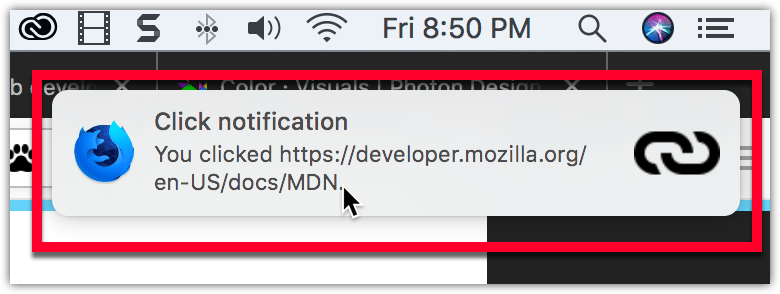
Example notification on macOS, located below the system clock, with a bold title reading "Click notification" followed by regular text reading "You clicked https://mdn.club.tw/en-US/docs/MDN". The notification has the Firefox Nightly logo on the left side, and a link icon on the right.

在 Windows 上,通知會一直保留在操作中心,直到瀏覽器關閉。通知的外觀大致如下
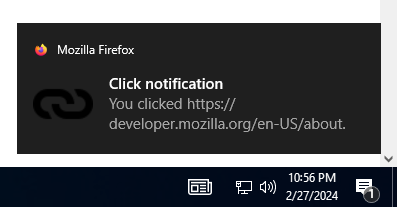
Example notification on Windows 10, located above the system clock, with a bold title reading "Click notification" followed by regular text reading "You clicked https://mdn.club.tw/en-US/docs/MDN". The notification has a small Firefox logo in the top left corner that is followed by "Mozilla Firefox", and a link icon to the left of the primary notification text.

要使用此 API,您需要擁有“notifications” 許可權

型別

notifications.NotificationOptions

定義通知的內容。

notifications.TemplateType

通知的型別。例如,這決定了通知是否可以包含影像。

函式

notifications.clear()

清除給定 ID 的特定通知。

notifications.create()

建立並顯示一個新通知。

notifications.getAll()

獲取所有通知。

notifications.update()

更新通知。

事件

notifications.onButtonClicked

當用戶點選通知中的按鈕時觸發。

notifications.onClicked

當用戶點選通知(但不是按鈕)時觸發。

notifications.onClosed

當通知關閉時觸發,無論是系統關閉還是使用者主動關閉。

notifications.onShown

通知顯示後立即觸發。

擴充套件程式示例

瀏覽器相容性

注意: 此 API 基於 Chromium 的 chrome.notifications API。