
如何僅用一個 JavaScript 函式繪製任何規則形狀
 Ruth John
閱讀時間 4 分鐘
Ruth John
閱讀時間 4 分鐘
好的,我知道我用了標題黨,但請耐心聽我說。我想分享一個我用了很久的函式。我最初寫它是為了畫一個六邊形——六邊形很酷,許多六邊形更好,而 鑲嵌式 的六邊形是最好的。所以我寫了一個函式來畫一個,然後我就可以重複使用它。
在我做這件事的時候,我開始修改六邊形,以便通過幾個引數來繪製一些形狀。讓我們從我為六邊形所做的事情開始,然後我們再繼續。
使用 JavaScript 繪製六邊形
六邊形有六條相等的邊。如果我們把起點想象成六邊形的中心,我們可以圍繞這個點移動六次,將每個點連線起來形成邊。
讓我們先建立一個 <canvas> 元素,並使用 2d 繪圖上下文。在這個例子中,我們將畫布的大小固定為 400 x 200 畫素,並將中心點設定為 (200, 100)。
<canvas></canvas>
const canvas = document.querySelector("canvas");
canvas.width = 400;
canvas.height = 200;

const ctx = canvas.getContext("2d");
const cx = 200;
const cy = 100;
現在我們需要找出中心點周圍各點的 x(水平)和 y(垂直)位置,當這些點用線連線時,將形成六條相等的邊。為此,我們使用從中心到點的距離(我們稱之為半徑)和中心點的方向角。
因為一個完整的圓有 360 度,我們要建立六個點,我們可以將 360 除以 6,就知道每隔 60 度建立一個點。然而,這裡有一個小小的注意事項——JavaScript 使用 弧度 而不是 度。我一直記得的一件事是,radians 中的 pi 值等於 180 度,或者半個圓。所以 (Math.PI*2)/6 會給出每個 radians 的旋轉角度,或者更簡單地說,是 Math.PI/3。
接下來我們需要新增一些三角函式來找到每個點的 x 和 y 位置。對於 x 位置,我們可以使用 半徑乘以 cos(角度) 的和;對於 y 位置,可以使用 半徑乘以 sin(角度)。讓我們把它們放在一起,新增到上面的 JavaScript 程式碼中。
// set the radius of the hexagon
const radius = 50;

// move the canvas to the center position
ctx.translate(cx, cy);

for (let i = 0; i < 6; i++) {
  // calculate the rotation
  const rotation = (Math.PI / 3) * i;

  // for the first point move to
  if (i === 0) {
    ctx.moveTo(radius * Math.cos(rotation), radius * Math.sin(rotation));
  } else {
    // for the rest draw a line
    ctx.lineTo(radius * Math.cos(rotation), radius * Math.sin(rotation));
  }
}

// close path and stroke it
ctx.closePath();
ctx.stroke();
繪製任意邊數的形狀
假設我們想畫一個三角形、一個正方形或一個八邊形。在上面用於繪製六邊形的函式中,我們只需要修改在 for 迴圈中繪製線的次數以及每個點的角度。
讓我們把它變成一個函式,它接受中心點、半徑和邊數作為引數。
function drawShape(x, y, r, sides) {
  // move the canvas to the center position
  ctx.translate(x, y);

  for (let i = 0; i < sides; i++) {
    // calculate the rotation
    const rotation = ((Math.PI * 2) / sides) * i;

    // for the first point move to
    if (i === 0) {
      ctx.moveTo(r * Math.cos(rotation), r * Math.sin(rotation));
    } else {
      // for the rest draw a line
      ctx.lineTo(r * Math.cos(rotation), r * Math.sin(rotation));
    }
  }

  // close path and stroke it
  ctx.closePath();
  ctx.stroke();

  // reset the translate position
  ctx.resetTransform();
}
現在我們可以透過調整 sides 引數來繪製不同的形狀。
drawShape(100, 100, 50, 3);
drawShape(225, 100, 50, 7);
drawShape(350, 100, 50, 4);
總結
這是對 <canvas> 元素在網頁上繪圖以及你可以用來繪製形狀的一些方法的一個小介紹。如果你想更深入地瞭解所有這些部分是如何工作的,這裡是我們使用的內容的總結。
<canvas>:我們可以在其上顯示圖形的元素。CanvasRenderingContext2D:用於在畫布上繪製 2D 形狀。translate():將原點移動到新位置。lineTo():從一個點畫一條線到另一個點。closePath():將第一個點連線到最後一個點。stroke():用描邊樣式描繪路徑。
為了計算每個點的位置,我們使用了一些數學和三角函式。
Math.cos():用於計算點的 x 位置。Math.sin():用於計算點的 y 位置。Math.PI:用於以弧度計算旋轉角度。
要獲取有關 <canvas> 元素可以實現的功能的更多靈感,請檢視 Canvas 教程,它從基礎開始,然後涵蓋動畫和畫素處理等更高階的主題。
有很多方法可以擴充套件這個基本的形狀函式。我喜歡包含一個內半徑,這樣你就可以建立菱形和星星。我還嘗試過使用 曲線 而不是直線——你可以隨意自己嘗試。或者嘗試一些鑲嵌,這總是很有趣!
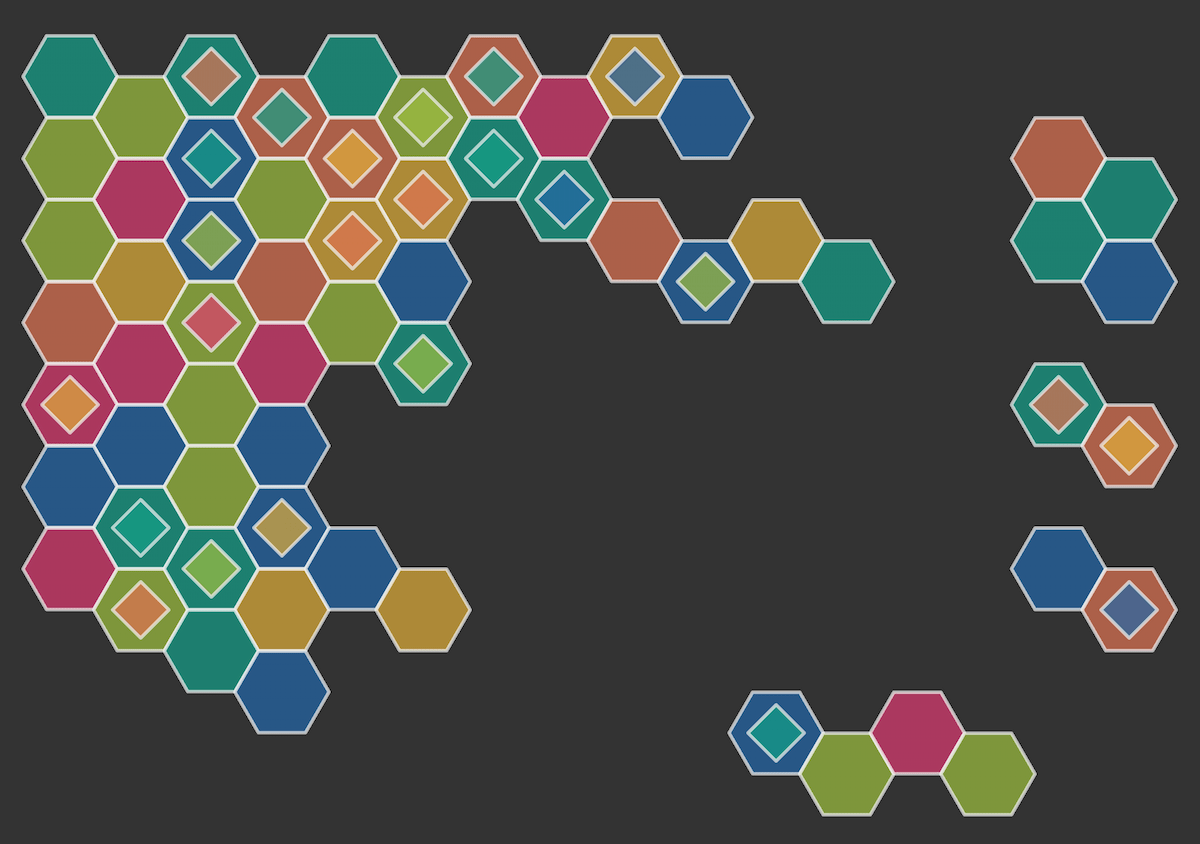
如果你嘗試了這個函式,請告訴我,如果你喜歡它和我一樣。一如既往,歡迎在 GitHub 討論 中留下任何反饋,或者加入 MDN Web Docs 的 Discord 伺服器 與我們聊天。